What Is Payroll? Meaning, Process and How a Payroll System Works
What is payroll? Its meaning, the steps of a pay run, what a payroll management system does, the payroll manager's role, and how HR and payroll connect.
Payroll is how a business pays its people. At its simplest, it means working out what each employee earned in a pay period, taking off what has to be taken off, paying the rest, and keeping a record of all of it. Every business with employees runs payroll, whether that is a spreadsheet on the last Friday of the month or a system that does most of it on its own.
This guide covers what payroll means, what goes into it, the steps of a pay run, what a payroll management system does, what a payroll manager is responsible for, and how payroll connects to the rest of HR.
TL;DR
- Payroll is the process of calculating, paying and recording employee pay, and also the word for the list of people you pay.
- Every pay run follows the same path: hours and leave in, gross pay, deductions, net pay, approval, payment, payslips, records.
- A payroll management system automates the calculation and the paperwork. Some also pay people and file taxes; many do not.
- Most payroll errors start before the calculation, in the hours, leave and overtime that feed it.
What payroll means
The word has two everyday meanings. As a process, payroll is everything involved in paying employees: calculating their pay, applying deductions, making the payment and recording it. As a thing, a payroll is the list of employees a business pays, and by extension the total it pays them. "We have twelve people on payroll" and "payroll went up this year" use it in the second sense.
In practice, when people ask what payroll is, they mean the process. It repeats every pay period, and it has to be both accurate, because it is someone's income, and on time, because people plan around payday.
What goes into payroll
Every payroll run works with three kinds of figures.
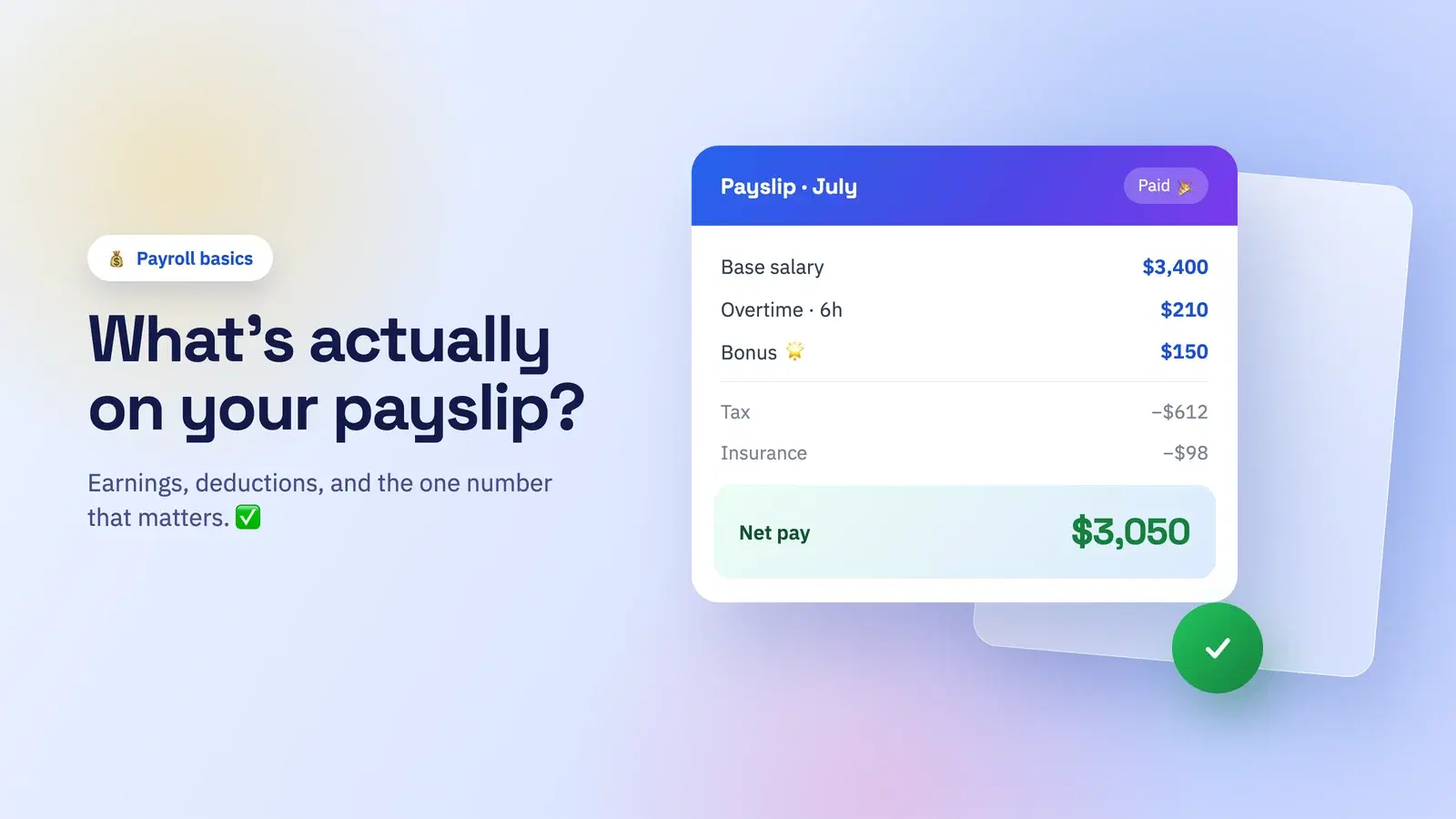
Earnings make up gross pay: base salary or hourly pay for the hours worked, plus overtime, allowances, bonuses and commission. For hourly and shift workers, the hours themselves come from time and attendance records, which is why those records matter so much.
Deductions are taken out of gross pay. Some are statutory, such as income tax withholding and mandated social or pension contributions. Others are voluntary, such as extra retirement savings, insurance premiums or the repayment of a salary advance. Our guide to payroll deductions covers the categories and the order they apply in.
Records are what makes payroll defensible later: who was paid what, for which period, how each figure was reached, and when it was approved. The employee's copy of that record is the payslip.
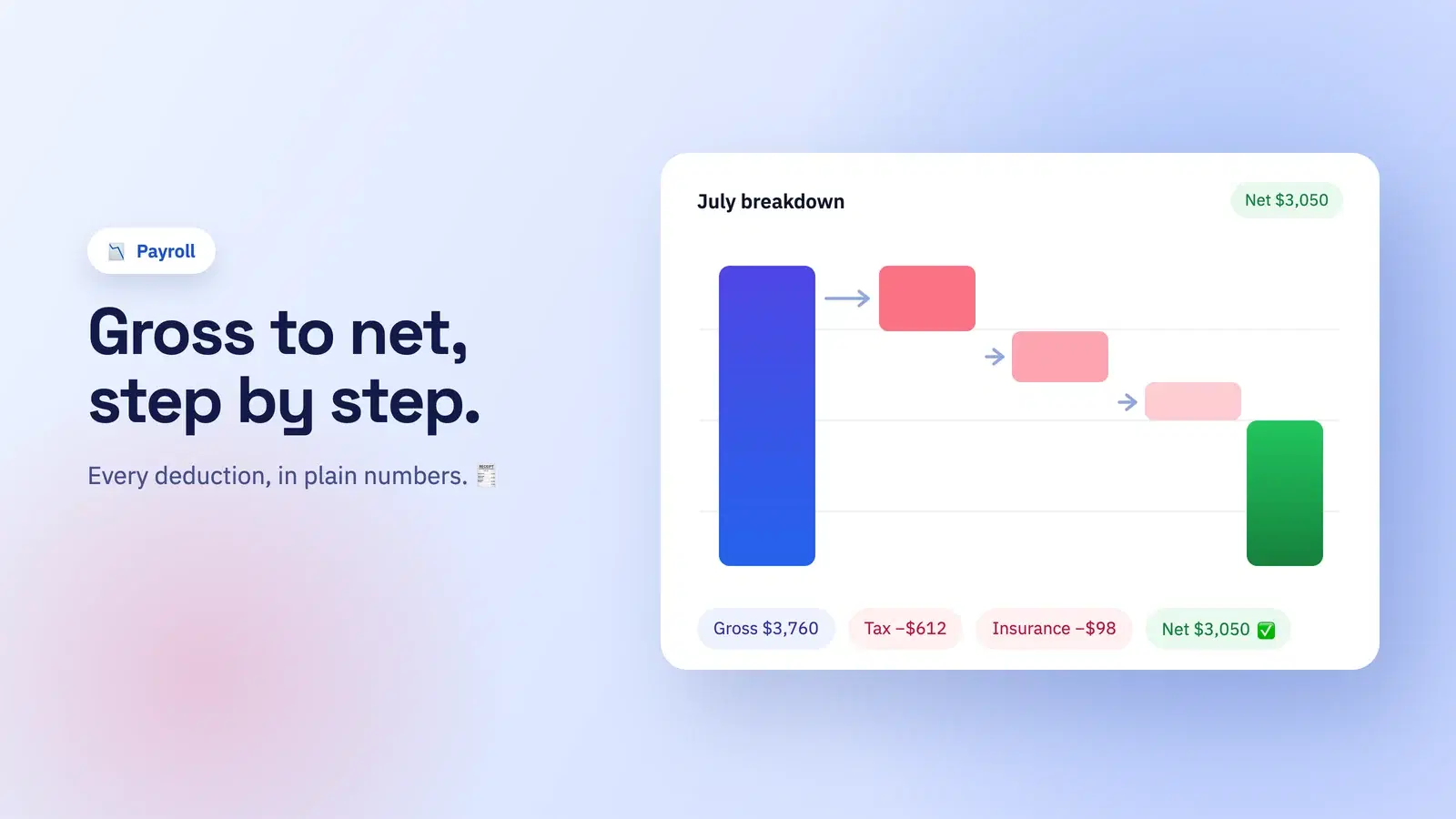
What is left after deductions is net pay, the amount the employee actually receives. You can try the arithmetic yourself with our free payroll deductions calculator.
The payroll process, step by step
However a business runs payroll, the steps are the same.
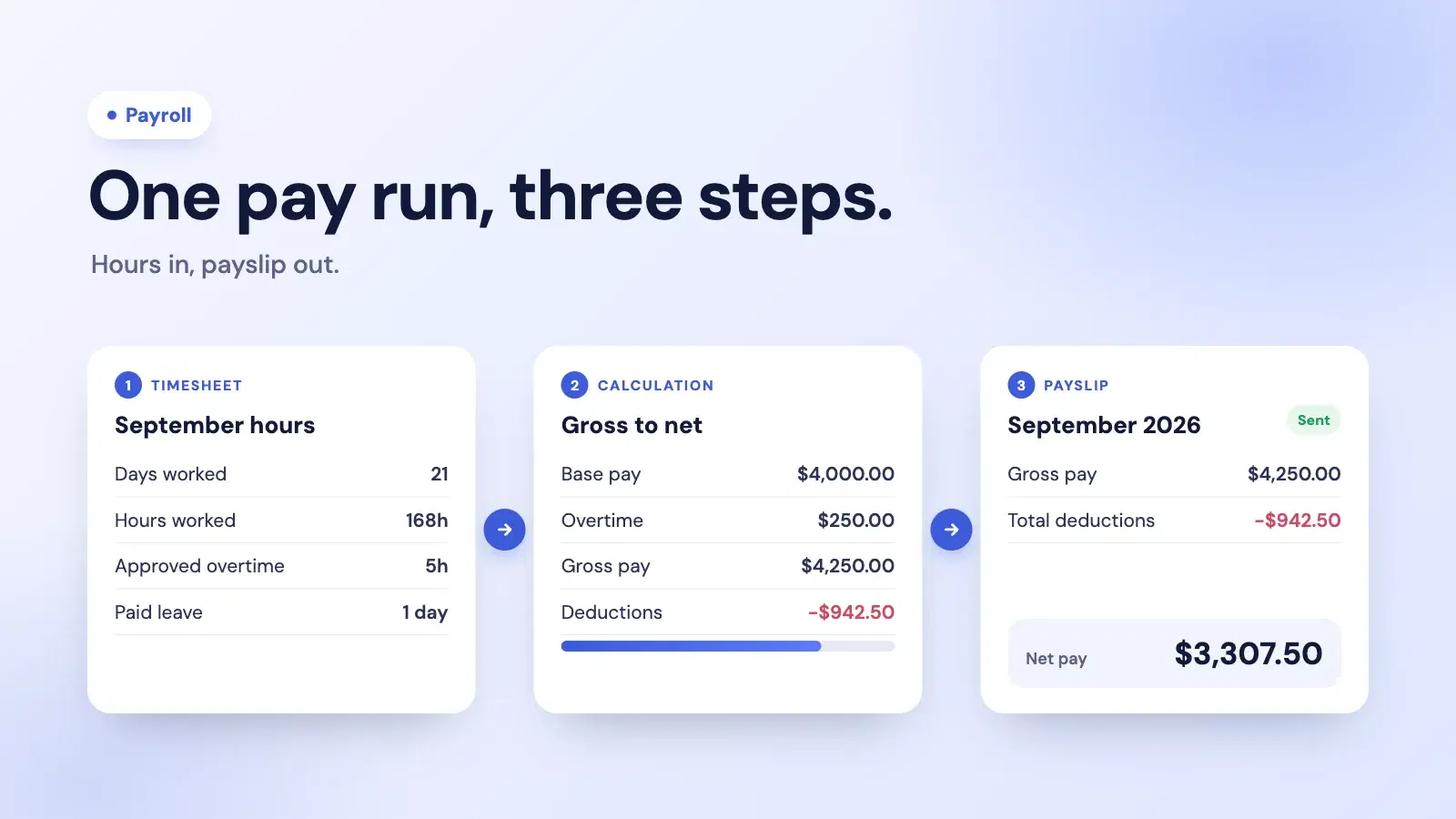
- Collect the inputs. Hours worked, attendance, approved leave and approved overtime for the pay period, plus any changes to pay such as a raise, a new allowance or a new starter.
- Calculate gross pay. Base pay for the period, plus overtime at the agreed rate, plus any other earnings.
- Work out deductions. Tax withholding, statutory contributions and voluntary deductions, in the right order, because some reduce taxable pay and others do not.
- Arrive at net pay. Gross pay minus every deduction.
- Review and approve. Someone checks the run before any money moves: new starters, leavers, unusual overtime, anything that changed since last period.
- Pay employees. Usually by bank transfer on the agreed payday.
- Send payslips. Each person gets an itemised record of their pay for the period.
- Pay over and report. Withheld tax and contributions are paid to the relevant authorities, and any returns are filed by their deadlines.
- Keep the records. Every run is stored so it can be checked, corrected or audited later.
Steps one to five are where the work, and most of the mistakes, happen. A payroll processing checklist keeps them in the same order every time.
An overview of a payroll management system
A payroll management system is the software, or the service, that runs those steps. Under the hood, most of them do the same things:
- Employee pay records: each person's pay basis (salary, hourly or weekly), rates, allowances and standing deductions.
- Pay periods: weekly, every two weeks, twice a month or monthly, depending on how you pay.
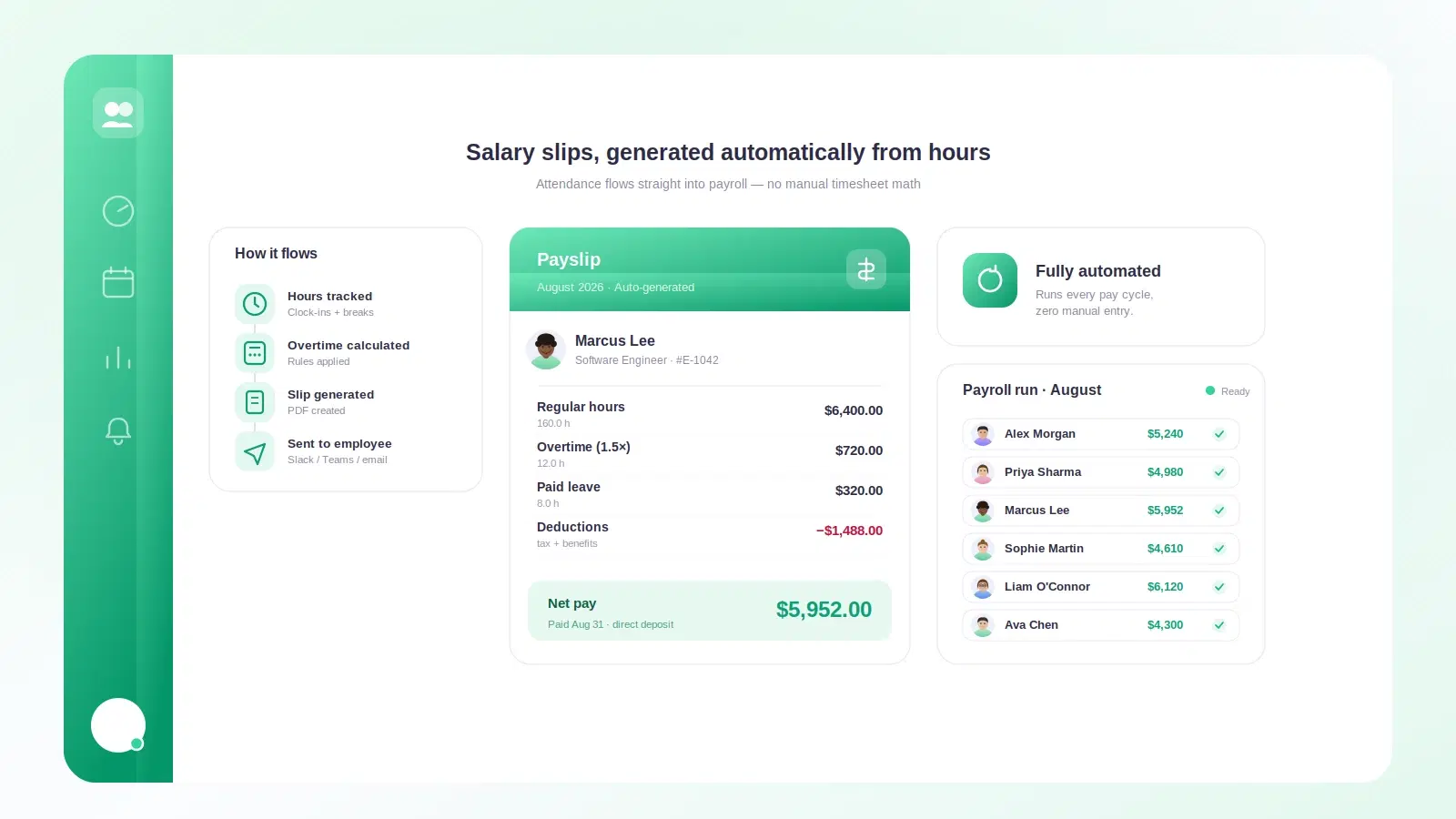
- Inputs: hours, attendance, leave and overtime for the period, ideally taken straight from where they are recorded rather than retyped.
- Rules: overtime rates, how leave affects pay, deduction formulas and the tax rules for each country or region you pay in.
- Calculation: gross pay, each deduction and net pay for every employee.
- Approval: a review step before the run is final.
- Output: payslips for employees, and reports for the business, its accountant and any authorities.
Systems differ most in what happens after the calculation. Payroll software calculates pay and produces payslips and reports, and you make the payments and filings yourself or through your accountant. A payroll service (a provider that runs payroll for you) usually also pays your employees and files and pays taxes on your behalf. An employer of record goes further and becomes the legal employer in countries where you have no entity. Knowing which of these you need is the first decision in choosing one.
What a payroll manager does
In a small business, the payroll manager is often the founder, an office manager or an outside accountant. In a larger one it is a dedicated role. Either way, the job is the same: make sure everyone is paid correctly and on time. That means keeping employee pay details up to date, checking the inputs for each run, reviewing and approving the results, handling corrections and questions, making sure deductions are paid over and reported on time, and keeping the records in order.
Most of a payroll manager's time goes on the inputs, not the calculation: chasing missing hours, confirming leave, questioning overtime. That is the part worth automating first.
HR and payroll
HR and payroll are two halves of the same record. HR owns the employee relationship: contracts, salaries, leave policy, working hours and changes over time. Payroll turns the parts of that which affect pay into money. When they live in separate tools, someone has to carry information from one to the other every pay period, and that handover is where errors come from: a raise that never reached payroll, leave that was approved but not deducted, overtime that was worked but not paid.
That is the main argument for running time tracking, leave and payroll from one system: the hours and leave that payroll needs are already there, so nothing is retyped.
Common payroll mistakes
- Retyping hours. Copying hours from a spreadsheet or a separate time tracker into payroll invites typos and missed days.
- Unapproved or missing overtime. Overtime paid without approval, or worked and never paid, both cause disputes. Our guide to calculating overtime pay covers the rules.
- Leave that never reached payroll. Unpaid leave that is not deducted, or paid leave that is.
- Late changes. A new rate or allowance agreed after the run was prepared.
- No record of why. A figure that nobody can explain a month later is a figure you cannot defend.
Where Tickin fits
Tickin is payroll software, not a payroll service. On the Growth plan, it calculates each person's pay from the attendance, leave and approved overtime already recorded in your workspace, applies your market's tax preset (Tickin includes presets for 17 markets), and sends every employee an itemised PDF payslip they can acknowledge. An admin previews each run and confirms it before any payslip is produced.
It does not file taxes or pay employees. Payments and filings stay with you, your bank or your accountant. If you want the calculation and the payslips done from the same hours your team already clocks, see payroll in Tickin, or read how to automate salary slips.
Frequently asked questions
What is payroll in simple terms?
Payroll is the process of paying employees for their work: working out what each person earned in a pay period, taking off tax and other deductions, paying the net amount, and keeping a record of it. The word also means the list of people a business pays, and the total it pays them.
What are the steps of the payroll process?
Collect hours, attendance, leave and overtime for the pay period; calculate gross pay; work out deductions and withholding; arrive at net pay; review and approve the run; pay employees; send payslips; pay over withheld taxes and contributions and file any returns; and keep the records.
What does a payroll management system do?
It stores each employee's pay setup, takes in the hours, leave and overtime for a pay period, applies the pay and deduction rules, calculates gross and net pay, routes the run for approval, produces payslips and keeps a record of every run. Some systems also pay employees and file taxes; others leave that to the employer or a provider.
What does a payroll manager do?
A payroll manager makes sure everyone is paid correctly and on time. They keep employee pay details up to date, check the inputs for each run, review and approve the results, handle corrections and questions, make sure deductions are paid over and reported on time, and keep payroll records in order.
What is the difference between HR and payroll?
HR looks after the employee relationship: hiring, contracts, leave policy, performance and records. Payroll turns the parts of that which affect pay, such as salary, hours, leave and overtime, into correct payments. The two share data, which is why errors usually come from the handover between them.
The takeaway
Payroll is the same few steps every period: inputs, gross pay, deductions, net pay, approval, payment, payslips and records. The calculation is the easy part. The hard part is getting clean hours, leave and overtime into it on time, and being able to explain every figure afterwards. Choose a system for how well it handles those inputs, and be clear about whether you need software that calculates, or a service that also pays and files.