Leave Management for Small Teams: A System That Actually Works
A practical guide to leave management for small teams: leave types, quotas, approval workflows, and tracking balances without the shared-spreadsheet mess.
Every small team hits the same wall around the sixth or seventh hire. Someone asks for a week off in July, you say yes in a Slack thread, and then three weeks later two other people book the same week and nobody notices until the day before. Suddenly half the team is out, a client deadline is in danger, and you are trying to reconstruct who has how many days left from memory.
Leave is not hard because the math is hard. It is hard because the information lives in too many places: a chat message here, a calendar invite there, a spreadsheet someone forgot to update. This guide lays out a leave system small teams can actually run without a dedicated HR department.
TL;DR
- Define a small set of clear leave types and a quota for each before you touch any tool.
- Front-loaded quotas are easier to explain; accrual protects you from payout risk.
- One approver plus a backup is enough. Longer chains just stall requests.
- The single biggest win is a shared view of who is already out, so nobody double-books.
- A shared spreadsheet works up to about five people, then balances drift and disputes start.
Start with the policy, not the tool
The most common mistake is shopping for software before deciding what you actually offer. Write the policy first, even if it is three paragraphs in a shared doc. A tool only automates the rules you give it.
Your policy needs to answer four questions:
- What kinds of leave exist?
- How much of each does someone get per year?
- Does the balance reset, roll over, or expire?
- Who approves a request, and who covers if that person is away?
Keep leave types short
Resist the urge to invent a category for everything. Most small teams need three or four types, not ten.
| Leave type | Typical quota | Notes |
|---|---|---|
| Annual / paid time off | 15 to 25 days | The main bucket people plan around |
| Sick leave | 5 to 10 days | Often separate so illness does not eat holiday |
| Public holidays | Set by location | Track them so cross-border teams stay aligned |
| Unpaid / other | As needed | Bereavement, parental, study; approved case by case |
If two categories behave the same way, merge them. Fewer types means fewer edge cases and fewer questions in your inbox.
Decide how quotas work
There are two clean models, and you should pick one rather than blending them.
- Front-loaded: everyone gets the full annual amount on day one of the year. Easy to explain, easy for people to plan around. The risk is that someone takes 20 days in March, then leaves in April having only earned a fraction.
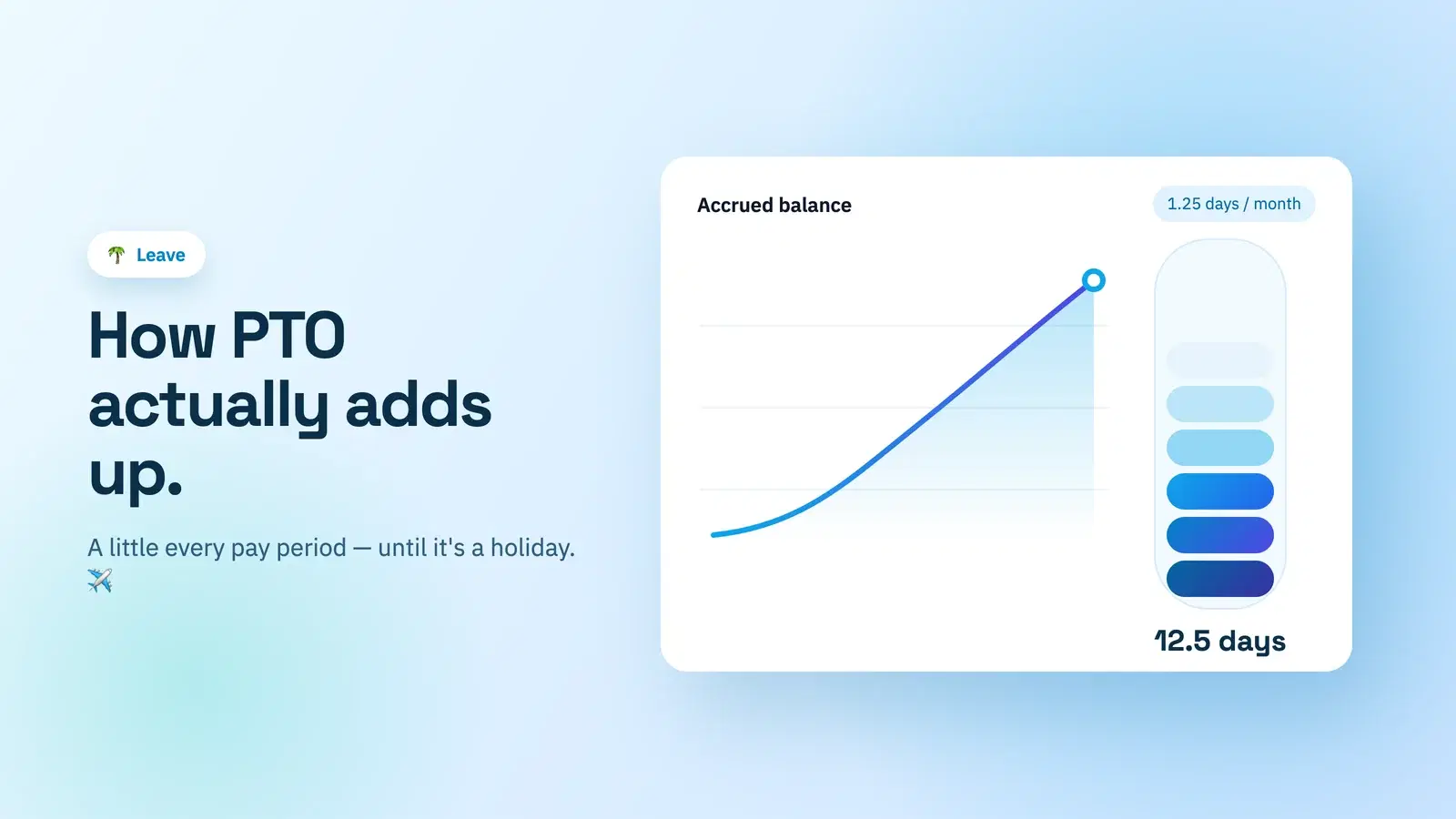
- Accrued: leave builds up over the year, often a set amount each month. A new hire earns time as they go. This limits payout risk but takes more explaining.
The difference between accrued and front-loaded leave trips up a lot of first-time managers. If you want the deeper reasoning, the concept of annual leave and statutory minimums varies widely by country, so check your local rules before you commit a number.
An approval workflow that scales
A good leave approval workflow is boring on purpose. Requests should follow the same path every time, and that path should be short.
Here is a shape that works for teams from five to fifty people:
- Employee submits a request with dates and leave type.
- Their direct manager or team lead gets notified.
- Approver checks who else is out that week, then approves or declines.
- The balance updates automatically and the calendar shows the booking.
- If the approver is away, a named backup can act instead.
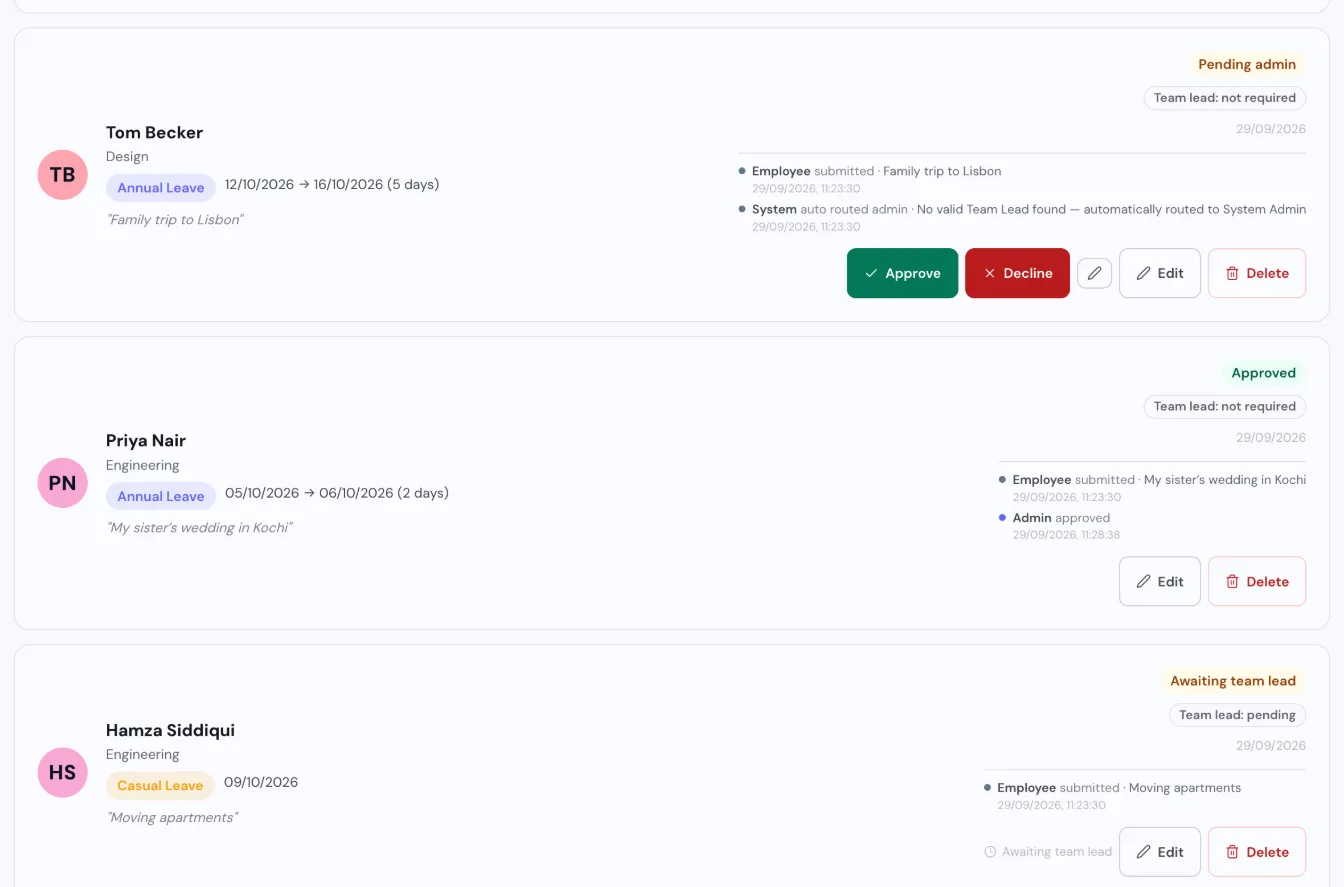
The failure mode to avoid is a chain of three or four approvers. On a small team that just means requests sit unanswered while someone is on vacation, and people give up and take the day anyway. One approver plus a backup is the sweet spot.
Make the "who is out" view the center of it
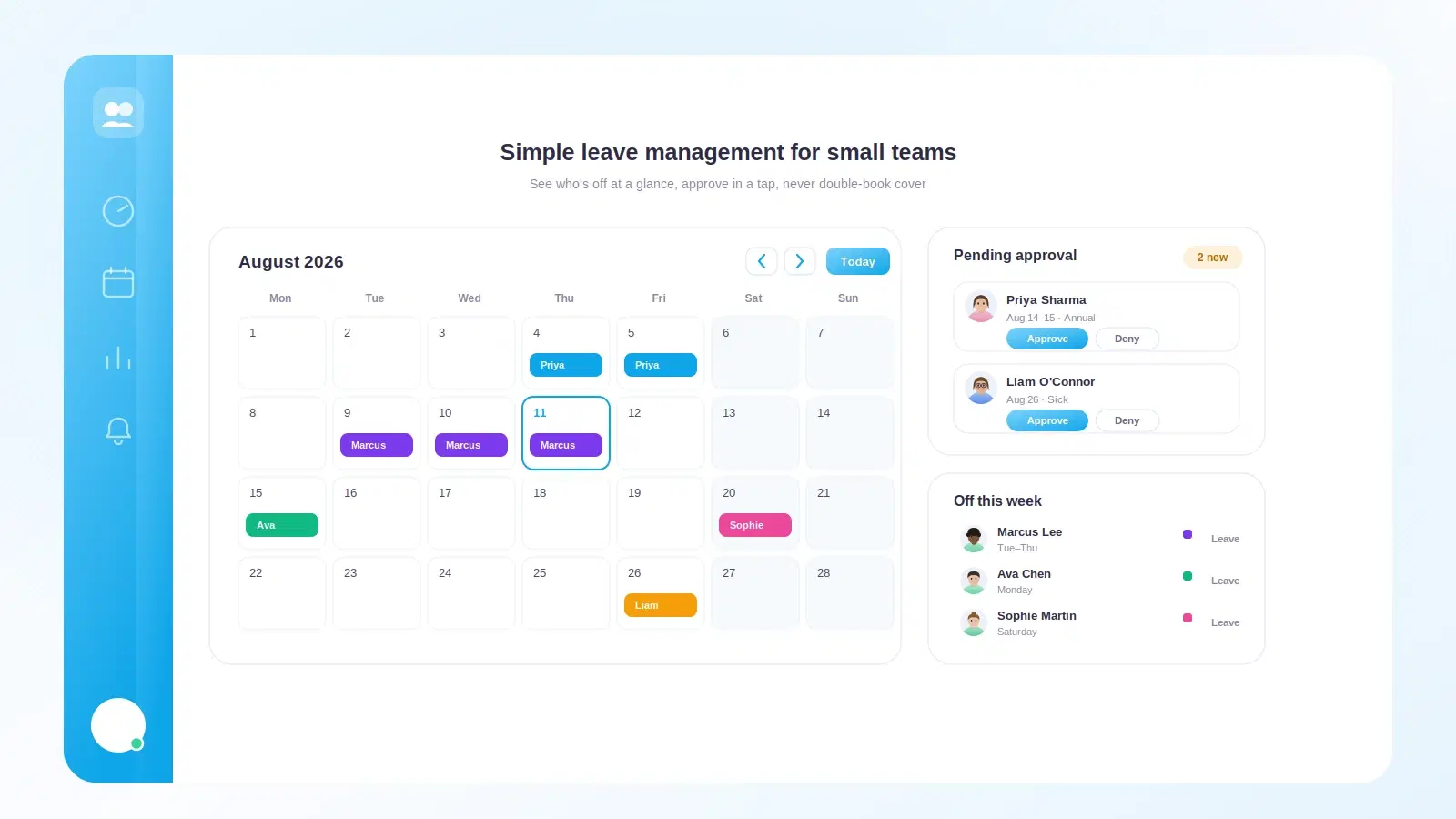
The single feature that prevents most leave headaches is visibility. Before anyone approves a request, they should see who is already booked off during those dates. This is the same discipline that makes shift scheduling for small teams work: you cannot plan coverage if you cannot see the gaps.
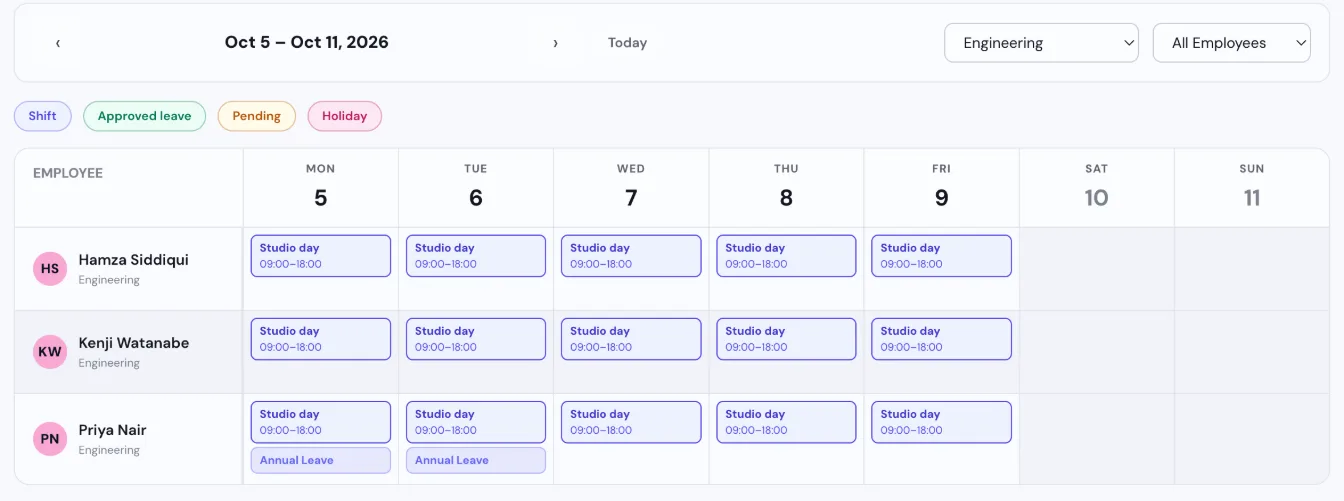
Set one simple coverage rule and make it visible so requests self-regulate. For example: no more than one person per role off at the same time. When people can see the calendar, they book around each other without you having to mediate.
The shared-spreadsheet trap
Almost every small team starts with a spreadsheet, and for the first few hires it is genuinely fine. The trouble starts quietly.
- Someone books leave in Slack and forgets to update the sheet.
- Two people edit the same cell and one change vanishes.
- The formula for remaining balance breaks when a row is inserted.
- A new hire never gets added, so their balance shows zero all year.
- Nobody trusts the numbers, so every request turns into a manual recount.
Here is how the two approaches compare once a team grows past a handful of people.
| Factor | Shared spreadsheet | Dedicated leave tracker |
|---|---|---|
| Balance accuracy | Drifts as edits pile up | Updates automatically on approval |
| Who is out | Buried in tabs and chat | One shared calendar view |
| Approval trail | None, or lost in chat | Recorded with dates and approver |
| Time to answer "how many days do I have left?" | Minutes of recounting | Instant |
| Risk of double-booking | High | Low with coverage rules |
None of this means a spreadsheet is evil. It means it stops paying its way at around five to seven people, especially when anyone works remotely. If your team is distributed, the same visibility problem shows up in attendance too, which is why it pairs naturally with tracking attendance for a remote team.
A worked example of balances
Let us make this concrete with one employee across a few months. Say your policy is front-loaded: 20 annual days and 8 sick days per year, granted January 1.
Meet Priya, who joined last year and starts the year with a full balance.
| Date | Event | Annual used | Annual remaining | Sick remaining |
|---|---|---|---|---|
| Jan 1 | Year starts | 0 | 20 | 8 |
| Feb 14 to 15 | 2 days annual leave | 2 | 18 | 8 |
| Mar 3 | 1 sick day | 2 | 18 | 7 |
| Apr 1 to 5 | 5 days annual (holiday) | 7 | 13 | 7 |
| Jun 10 to 20 | 8 working days annual | 15 | 5 | 7 |
By late June, Priya has 5 annual days left for the second half of the year. Because the balance updated on each approval, nobody had to recount anything. If a colleague asks to take the first week of July and Priya was already booked, the approver sees the overlap and can stagger them.
Now imagine the accrual version instead. If Priya earned 20 days at roughly 1.67 days per month, by the end of June she would have accrued about 10 days and used 15. That negative position is exactly the payout risk front-loading carries and accrual avoids. Neither is wrong; they just trade simplicity for protection.
Where Tickin fits
Tickin turns the policy you wrote into a running system without a spreadsheet in sight. You set leave types and quotas once, and everyone gets a live balance they can check themselves. Requests go to the right approver, who sees who else is out that week before saying yes. When they approve, the balance updates and the shared calendar reflects it.
Because Tickin also handles attendance and time tracking, leave sits next to the rest of your team data instead of in a separate island. People can request time off right from Slack (or Microsoft Teams on the Scale plan), so there is no new app to learn. Approved leave flows through to payroll, which means it lines up cleanly when you automate salary slips at month end.
Small teams start free for up to 10 employees, so you can set up your whole leave system before paying anything. Take a look at the features or start for free and get your leave off the spreadsheet this week.
Frequently asked questions
How much annual leave should a small team offer?
There is no single right number. Many small teams land between 15 and 25 paid days per year, plus public holidays and sick leave. Check your local statutory minimum first, then set a number you can afford consistently and honor every year.
Do I really need software, or is a spreadsheet fine?
A spreadsheet works until it does not. Once you have more than about five people, or anyone works remotely, shared sheets get out of date and balances drift. A simple tracker with an approval step saves hours and prevents awkward disputes.
Who should approve leave requests?
Usually the person's direct manager or team lead, with HR or the owner as a fallback. Keep the chain short. One approver plus a backup is enough for most small teams and avoids requests stalling when someone is away.
How do I stop too many people booking the same week off?
Give approvers a shared view of who is already out before they approve. Set a simple cap, such as no more than one person per role off at a time, and make that rule visible so requests self-regulate.
What is the difference between accrued and front-loaded leave?
Accrued leave builds up gradually, often each month, so a new hire earns time as they go. Front-loaded leave grants the full annual amount at the start of the year. Front-loading is simpler to explain; accrual limits payout risk if someone leaves early.
Getting started this week
You do not need a perfect policy to start. You need a written one. Pick your three or four leave types, choose front-loaded or accrued, name one approver and a backup, and get everyone's current balance into one shared place. That single move, from scattered chat threads to one source of truth, removes most of the friction on its own.
The rest is maintenance, and the right tool does that quietly in the background. If you're still setting the rules themselves, see how to calculate PTO accrual for how balances build up and our sick leave policy guide for handling sick days. Set your policy up in Tickin for free today, and if coverage planning is your next worry, read shift scheduling for small teams next.