Time Tracking for Small Businesses: A No-Nonsense Guide
A practical guide to time tracking for small business: why it matters, five methods compared, what to measure, and how to get team buy-in without surveillance.
The first time I tried to figure out where a week went, I opened a spreadsheet, stared at eleven rows of half-remembered tasks, and gave up by Thursday. That was the whole problem. I was reconstructing time after the fact, from memory, which is roughly as reliable as guessing what I ate for lunch last Tuesday.
Small businesses run into this constantly. You want to know if a project was profitable, whether someone is drowning in overtime, or simply how to bill a client honestly. But the tools feel built for either freelancers or 500-person enterprises, and the process feels like a chore nobody signed up for. This guide is the no-nonsense version: why tracking is worth it, the real trade-offs between methods, and how to roll it out without your team feeling watched.
TL;DR
- Track time when it feeds a decision: billing, payroll, overtime, or capacity planning. If it feeds nothing, skip it.
- Paper and spreadsheets are cheap but leak accuracy; apps and chat-based tools cost a little and save hours of cleanup.
- Measure a small set of things well: hours worked, project or client, and time off. Resist the urge to log every keystroke.
- Buy-in comes from being clear about the why and never crossing into surveillance.
- A team of six can go from guesswork to clean weekly numbers in an afternoon.
Why track time at all?
Tracking time only earns its keep when the data changes something you do. Here are the honest reasons a small business tracks:
- Client billing. If you sell hours, unbilled time is money left on the table. Under-recording is common and expensive.
- Payroll and overtime. Hourly staff need accurate hours, and overtime rules exist for a reason. Getting this wrong creates back-pay headaches.
- Project costing. Knowing a project took 40 hours instead of the 25 you quoted tells you how to price the next one. If billing or budgeting by project is the goal, see project time tracking.
- Capacity and fairness. Time data reveals who is overloaded and who has room, which is hard to see by vibes alone.
If none of these apply to your business, you have permission to keep tracking minimal or optional. Not every team needs a time clock. The point is to be deliberate rather than tracking because it feels like the responsible thing to do.
The methods, compared honestly
There are five common ways small teams track time, and each buys you something at a cost. I have used all of them, and none is perfect.
| Method | Cost | Accuracy | Effort for staff | Best for |
|---|---|---|---|---|
| Paper timesheets | Nearly free | Low | Medium | Very small, in-person shops |
| Spreadsheets | Free | Low to medium | High | Teams already living in sheets |
| Punch clock or terminal | Hardware cost | Medium to high | Low | Single-location hourly staff |
| Dedicated time app | A few dollars per head | High | Low to medium | Distributed or growing teams |
| Chat-based tracking | A few dollars per head | High | Very low | Teams already in Slack or similar |
A few notes from experience. Paper works until someone loses the sheet or fills it in from memory on payday. Spreadsheets feel free but cost you hours every month in chasing, fixing, and summing, and formulas break quietly. A punch clock is solid for one location but useless for remote work. A dedicated app fixes accuracy but adds one more thing to open. Chat-based tracking lives where people already are, which is why forgotten entries drop sharply.
The remote wrinkle
If any of your team works from home, physical clocks and paper are out, and honesty-based spreadsheets get shaky. Distributed teams need something that travels with the person. We wrote a fuller take on this in how to track attendance for a remote team, but the short version is: pick a method that does not depend on a building.
What to actually measure
The instinct is to measure everything. Resist it. More fields mean more friction and more abandoned entries. For most small businesses, three things cover it:
- Hours worked — start, stop, and total per day.
- What the time was for — a client, project, or task, if you bill or cost work.
- Time off — leave, sick days, and holidays, so payroll and coverage stay clean.
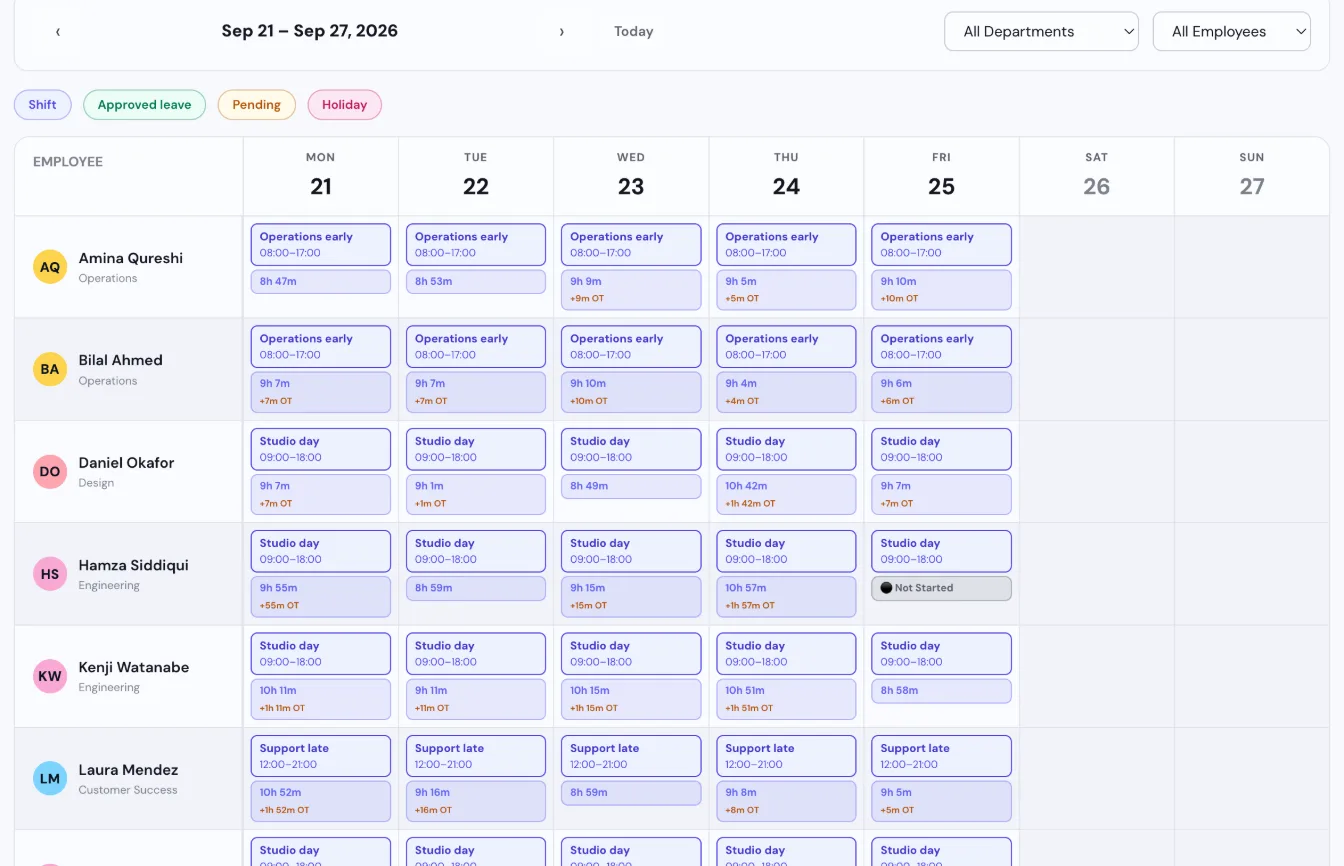
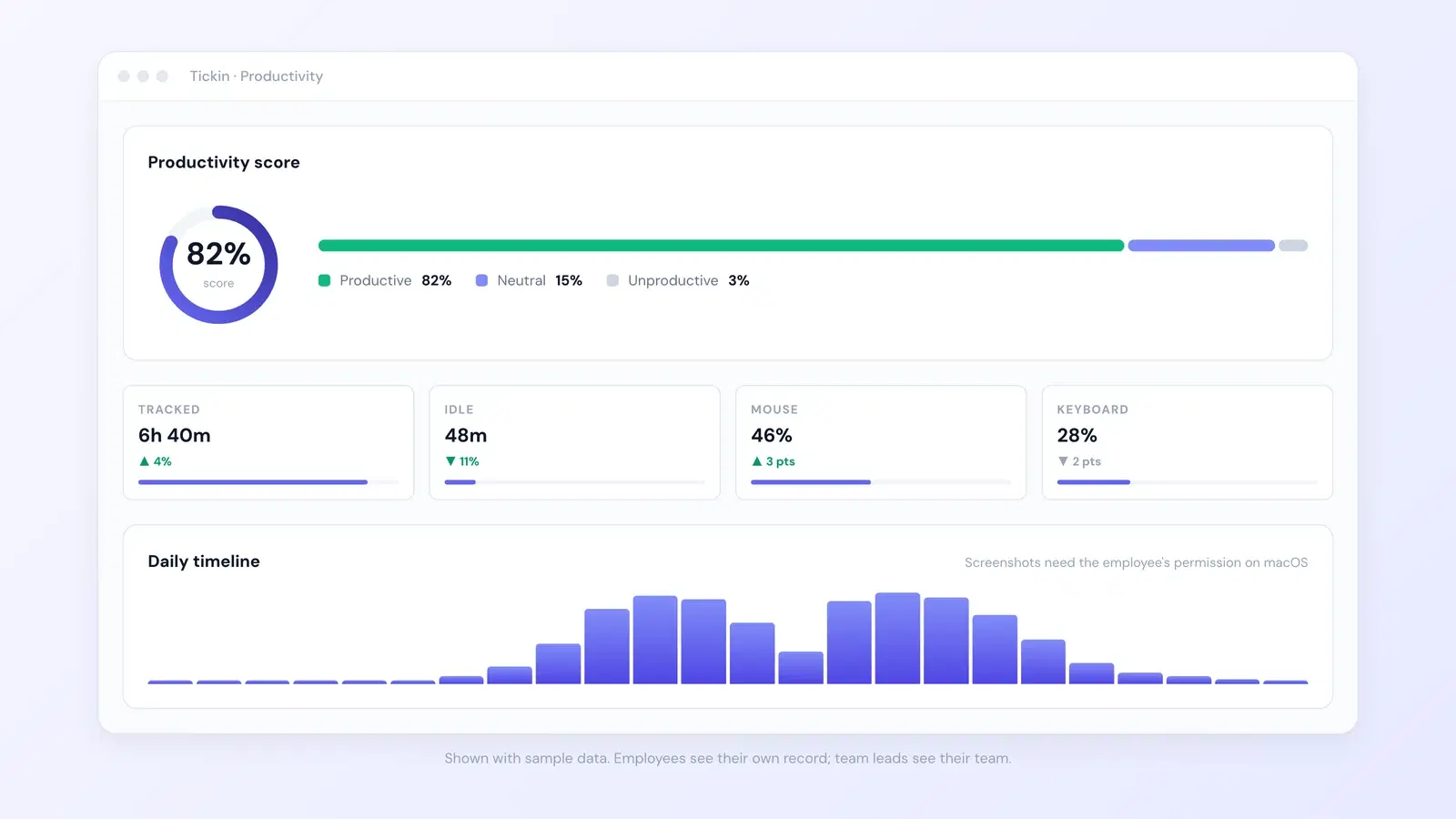
That is usually enough. If you find yourself wanting to log app usage, mouse movement, or which websites someone visited, stop and ask what decision that data would actually change. Nine times out of ten, the answer is nothing, and you have just built surveillance.
For anything beyond raw hours, like turning entries into approved, exportable records, that is where timesheet software for small business earns its place.
Getting buy-in without surveillance
Here is where most rollouts go wrong. You announce time tracking, someone hears "they don't trust us," and the whole thing curdles. The fix is not a better tool. It is being straight about intent.
- Say the why out loud. "This is so we bill clients correctly and nobody quietly works 55-hour weeks" lands very differently from a silent new requirement.
- Track hours and tasks, not behavior. Screenshots and keystroke logging are surveillance. Clocking in and noting a project is not. Draw that line clearly and stay on the right side of it.
- Make it fast. If logging time takes more than a few seconds, people skip it, then backfill from memory, and your data rots.
- Show them the output. When the team sees fairer workloads and no more payday disputes, tracking stops feeling like a leash.
The distinction matters legally and culturally. Employee monitoring that crosses into constant surveillance is regulated in many regions and corrosive everywhere. See the overview of employee monitoring for how broadly the term stretches. Your goal is the narrow, honest end of it.
A quick gut check
Before adding any tracking field, ask: would I be comfortable explaining this to the person being tracked, to their face? If yes, ship it. If you hesitate, it is probably surveillance dressed as productivity.
A worked example
Meet a small design studio, six people, mostly remote. They bill clients hourly but had been estimating hours from memory at invoice time. Here is what they found after one month of proper tracking.
- Two designers logged 172 hours each across the month.
- The studio had been invoicing about 150 hours per person, because rounded-down memory always undershoots.
- That gap, 22 hours per designer at $60 per hour, was $1,320 unbilled per person, or $2,640 across the two in a single month.
They also spotted that one junior designer hit 48 hours in a single week twice. Nobody had noticed, because there was no data to notice with. They rebalanced two projects the following week.
The cost of catching all this? A tool at roughly $3 per person per month, so $18 monthly for the team. Against $2,640 in recovered billing, the math is not close. Even setting billing aside, the workload catch alone justified it. If you want the exact overtime mechanics behind that 48-hour week, the overtime pay guide walks through the rates.
How Tickin handles this
Most of the friction in time tracking is the "open another app" tax. Tickin removes it by living where small teams already talk. Your team clocks in and out straight from Slack, notes what they are working on, and the hours roll up into clean weekly records automatically. No spreadsheet chasing, no lost paper.
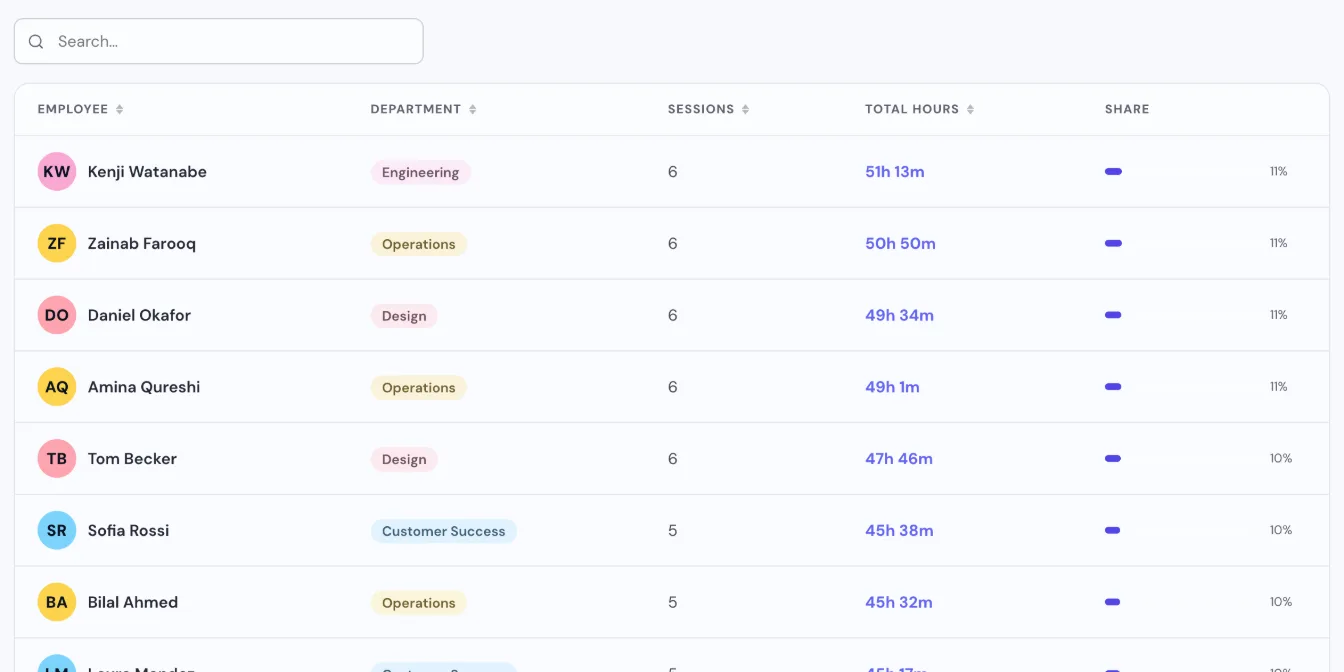
Because it runs in chat, forgotten entries drop hard. People clock in with a message they were already about to send. If you want the detail on that flow, we cover it in how to track time in Slack.
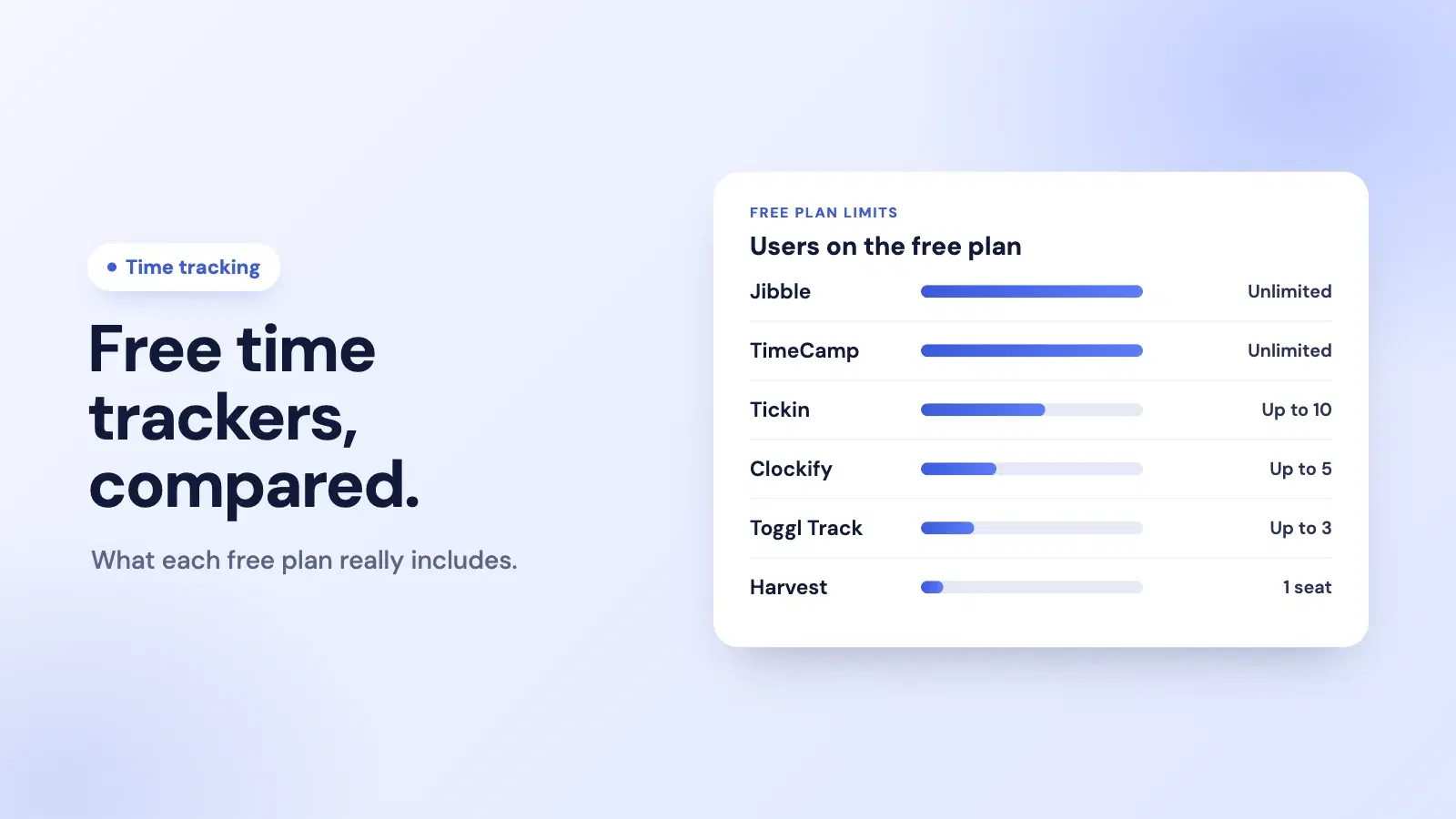
Under the hood you get proper timesheets, leave and attendance, overtime, and payroll-ready exports, plus the optional Desktop App only if you actually want it. Tickin is free up to ten employees, then two to six dollars per person each month depending on plan. You can see the full list on the features page or just start for free and try it with your own team this week.
Frequently asked questions
Do small businesses really need to track time?
If you bill clients hourly, pay overtime, or plan capacity, yes. Even salaried teams benefit from knowing where hours actually go. If none of those apply, keep it light and optional.
What is the easiest way to track employee time?
For most small teams, a clock-in method that lives where people already work wins. Chat-based tracking through Slack means no new app to open and far fewer forgotten entries.
Is time tracking the same as employee surveillance?
No. Tracking hours and tasks is about payroll and planning. Surveillance means screenshots and keystroke logging. You can run accurate time tracking without any of that.
How much should time tracking software cost for a small business?
Expect a few dollars per employee each month. Tickin is free up to ten people, then two to six dollars per employee monthly depending on the plan you pick.
Should I track salaried employees too?
You can, but frame it as visibility rather than a pay check. Salaried tracking helps with project costing and workload balance, not clocking every minute.
Where to start
You do not need a grand system. Pick the smallest method that gives you accurate hours without annoying your team, measure only what feeds a real decision, and be honest about why you are doing it. That is the whole job.
Start with one week. Track hours and projects, look at the numbers on Friday, and see what surprises you. It usually surprises you.
Ready to skip the spreadsheet cleanup? Start free with Tickin and have your team clocking in from chat by tomorrow. If you want to go deeper on the payroll side next, read timesheet software for small business.