How to Calculate Hours Worked: Breaks, Overnight Shifts and Decimal Hours
How to calculate hours worked from clock-in and clock-out times: subtract breaks, handle overnight shifts, convert minutes to decimal hours, and total a week.
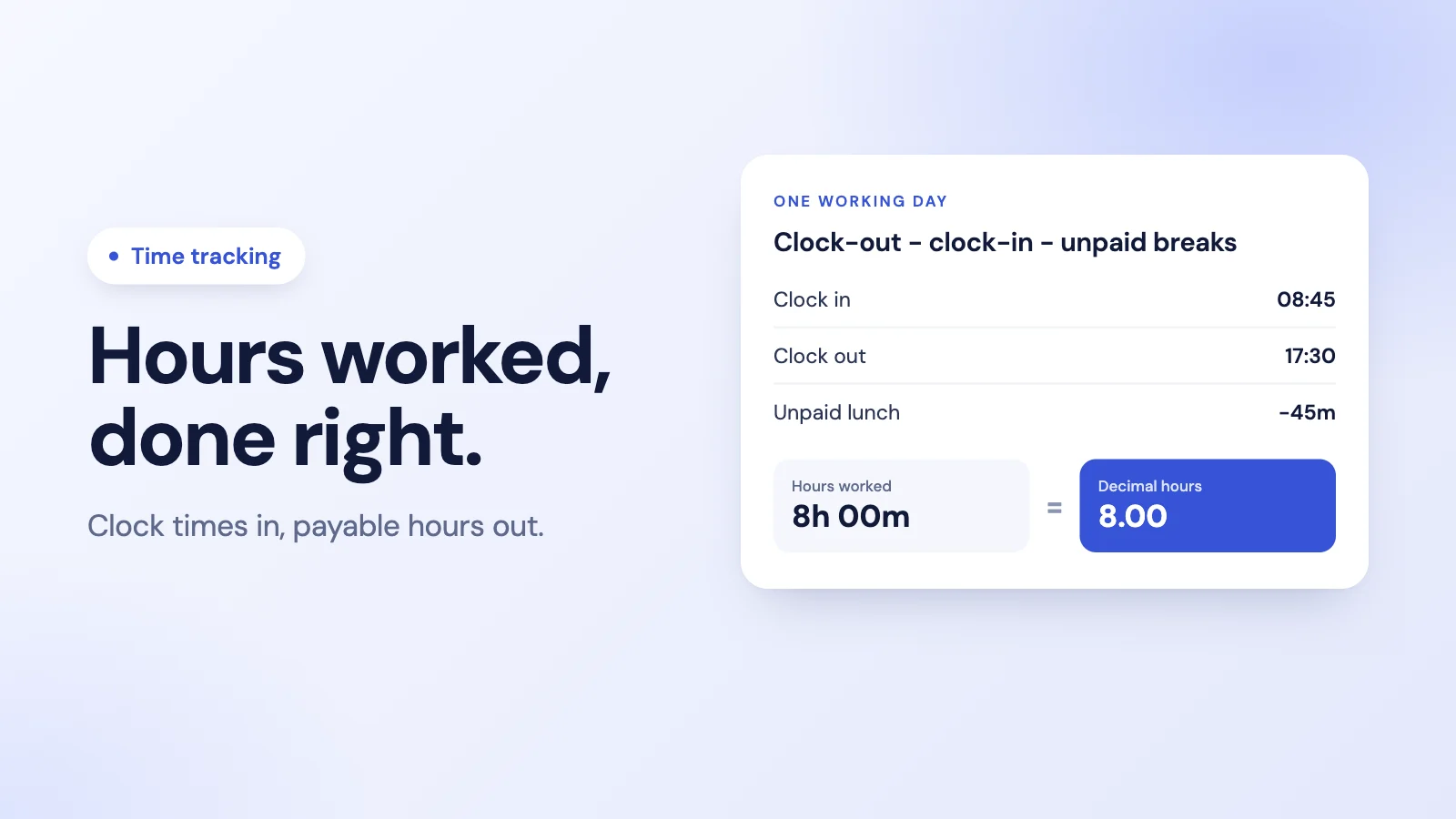
Most payroll errors start one step earlier than people think: not with the rate or the deductions, but with the hours. A clock-in at 08:45, a clock-out at 17:30 and a lunch somewhere in between seem simple until you multiply by an hourly rate and need a single, correct number.
This guide walks through how to calculate hours worked for a day, a night shift and a week, how to convert minutes to decimal hours, and the mistakes that quietly cost either you or your team money.
The basic formula
For one working day:
Hours worked = clock-out time − clock-in time − unpaid breaks
Three things decide whether the answer is right: the times themselves, which breaks are unpaid, and whether the shift crosses midnight. Get those right and the rest is arithmetic.
Step 1: subtract the clock-in time from the clock-out time
Work in hours and minutes, borrowing an hour when the minutes do not subtract.
| Clock in | Clock out | Elapsed time |
|---|---|---|
| 08:45 | 17:30 | 8h 45m |
| 09:10 | 18:05 | 8h 55m |
| 07:50 | 16:20 | 8h 30m |
For 08:45 to 17:30: 30 minutes minus 45 does not work, so borrow an hour. 17:30 becomes 16:90, and 16:90 minus 08:45 is 8 hours 45 minutes.
Using a 24-hour clock avoids the most common slip, which is mixing up a.m. and p.m.
Step 2: subtract unpaid breaks
Take out every unpaid break. Leave paid breaks in.
For the 08:45 to 17:30 day with a 45-minute unpaid lunch:
8h 45m − 45m = 8h 00m worked
Which breaks are paid depends on your policy and local rules. In the US, under federal rules, short rest breaks of about 5 to 20 minutes are generally counted as work time, while genuine meal breaks of 30 minutes or more generally are not. Other countries set their own rules, so check what applies where your team works. Our guide to whether breaks count as hours worked covers paid and unpaid breaks in more detail.
Step 3: convert to decimal hours for pay
Payroll multiplies hours by a rate, so you need decimal hours, not hours and minutes. Divide the minutes by 60.
| Minutes | Decimal |
|---|---|
| 5 | 0.08 |
| 10 | 0.17 |
| 15 | 0.25 |
| 20 | 0.33 |
| 30 | 0.50 |
| 40 | 0.67 |
| 45 | 0.75 |
| 50 | 0.83 |
So 7 hours 45 minutes is 7.75 hours, not 7.45. That one mistake, reading the minutes as a decimal, underpays a 7h 45m day by 18 minutes. At a 20 per hour rate, 7.75 hours is 155.00, while 7.45 hours would have paid 149.00.
Overnight shifts
When a shift crosses midnight, the clock-out time is smaller than the clock-in time, and simple subtraction gives a negative number. Add 24 hours to the clock-out time first.
A shift from 22:00 to 06:00:
- 06:00 + 24:00 = 30:00
- 30:00 − 22:00 = 8 hours, before breaks
If you report hours by calendar day, decide in advance how a night shift is split: either all of it to the day it started, or each part to the day it fell on. Both work; mixing them does not.
Totalling a week
Calculate each day on its own, then add the decimal hours.
| Day | In | Out | Unpaid break | Hours worked |
|---|---|---|---|---|
| Mon | 08:45 | 17:30 | 45m | 8.00 |
| Tue | 09:00 | 18:15 | 45m | 8.50 |
| Wed | 08:30 | 17:00 | 30m | 8.00 |
| Thu | 09:00 | 19:00 | 45m | 9.25 |
| Fri | 08:45 | 15:45 | 30m | 6.50 |
| Total | 40.25 |
Hours above your daily or weekly threshold may be overtime. How that is paid is covered in our guide to calculating overtime pay.
Common mistakes
- Reading minutes as decimals. 8h 30m is 8.5 hours, not 8.30.
- Forgetting to subtract unpaid breaks, or subtracting a paid one.
- Negative night shifts. Always add 24 hours when clock-out is earlier than clock-in.
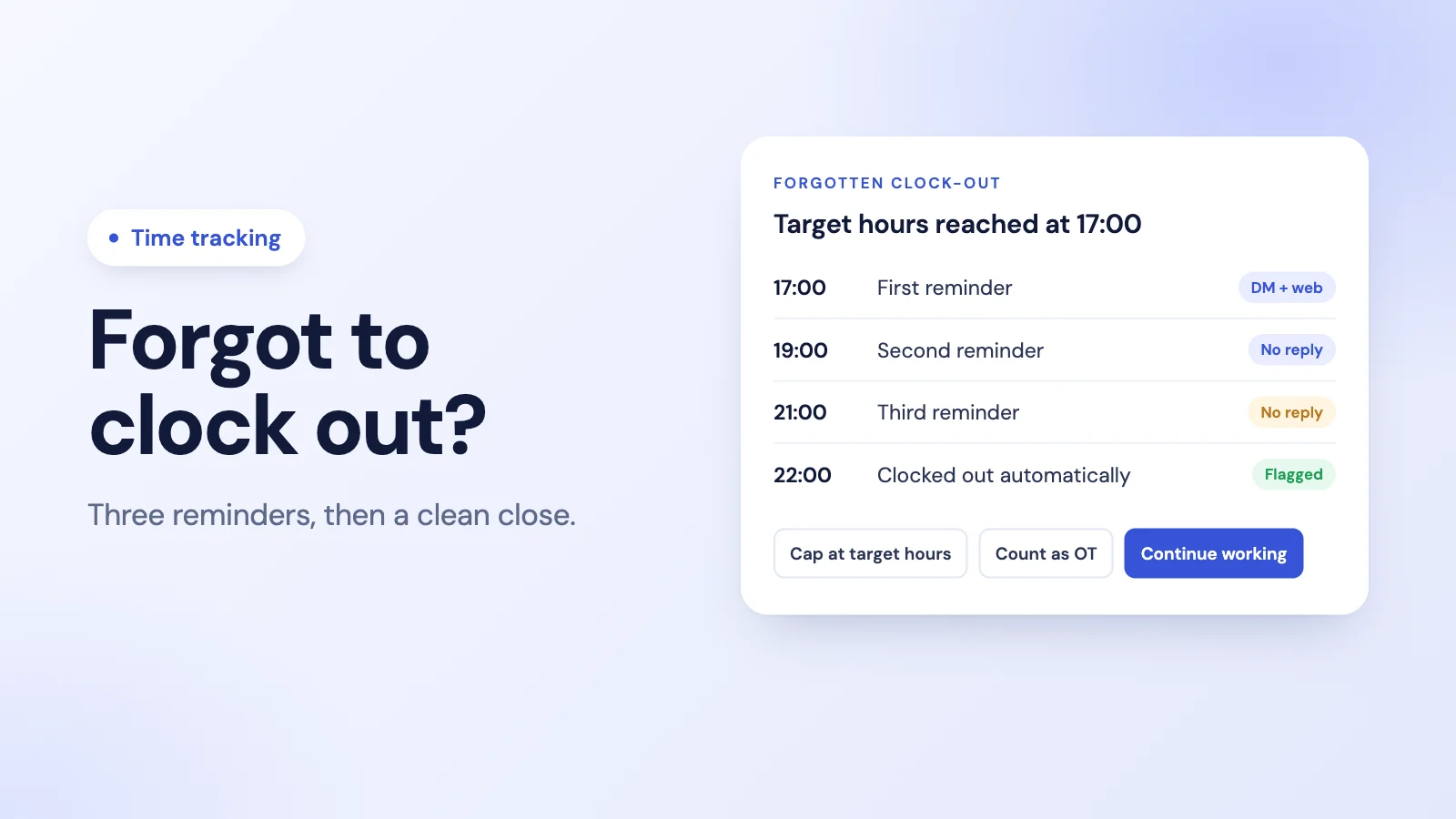
- A clock left running. One forgotten clock-out can add a whole night to a day. Here is what to do when an employee forgot to clock out.
- Rounding that only goes one way. If you round times at all, round neutrally, so that over time it does not reduce what people are paid. Recording exact times avoids the question.
- Paying the schedule, not the clock. Scheduled hours and worked hours are different things. Our post on office hours vs working hours explains the difference.
How Tickin calculates hours worked
When your team clocks in and out with Tickin, from Slack, the web or the optional Desktop App (and Microsoft Teams on the Scale plan), the hours are worked out for you:
- Worked time is clock-out minus clock-in, minus breaks. Breaks people take with the break command are subtracted automatically.
- Exact times, no rounding. Tickin records the real clock-in and clock-out times and does not round them.
- Hours shown as hours and minutes in the app, such as 7h 30m. On the Growth plan and above, CSV exports include hours as decimals for payroll.
- Overnight sessions that cross midnight are counted against each day they overlap. On the Growth plan, shifts can run overnight, such as 22:00 to 06:00, and can include a paid break allowance.
- A daily ceiling. A session left running is capped for the day rather than counted as twenty hours, and is flagged for review instead of being silently rewritten.
There is no manual timesheet to fill in: the hours come from the clock. If a time is wrong, the employee requests an adjustment and a manager approves it. See time tracking in Tickin, or start from our timesheet template if you are still on spreadsheets. If you are comparing tools, our timesheet software buyer's guide covers what to look for.
Frequently asked questions
How do you calculate hours worked in a day?
Subtract the clock-in time from the clock-out time, then subtract any unpaid breaks. For example, 08:45 to 17:30 is 8 hours 45 minutes; minus a 45-minute unpaid lunch leaves 8 hours 0 minutes worked.
How do you convert minutes to decimal hours?
Divide the minutes by 60. 15 minutes is 0.25 hours, 30 minutes is 0.5, 45 minutes is 0.75, and 20 minutes is about 0.33. So 7 hours 45 minutes is 7.75 decimal hours, which is the figure you multiply by an hourly rate.
How do you calculate hours for an overnight shift?
Add 24 hours to the clock-out time when it is earlier than the clock-in time. A shift from 22:00 to 06:00 becomes 22:00 to 30:00, which is 8 hours, before breaks.
Do breaks count as hours worked?
Unpaid breaks are taken out; paid breaks are counted. Which breaks are paid depends on your policy and local law. In the US, under federal rules, short rest breaks of about 5 to 20 minutes are generally counted as work time, while genuine meal breaks of 30 minutes or more generally are not.
Should I round clock-in and clock-out times?
Recording exact times is the safest approach. If you round at all, round neutrally in both directions so that, over time, it does not consistently reduce the hours people are paid for, and check local rules first.
The takeaway
Hours worked is clock-out minus clock-in, minus unpaid breaks, with 24 hours added when a shift crosses midnight. Convert minutes by dividing by 60, total each day before the week, and record exact times. Get the hours right and every number that depends on them, from overtime to the payslip, starts from solid ground.