How to Clock In From Slack: A Slack Timer for Real Work Hours
How to clock in and out from Slack — in Tickin that is /tickin start and /tickin end — plus breaks, forgotten punches, and corrections.
Sarah runs operations at a 22-person design studio spread across four time zones. For two years her team clocked in through a standalone punch-clock app. Every morning meant a second login, a forgotten password reset once a month, and a browser tab nobody remembered to open. By Friday her timesheets were full of holes. People swore they worked, but the app said otherwise.
Then she moved the whole thing into Slack, where her team already lived all day. Clock-ins jumped from spotty to near perfect in a week. Not because anyone tried harder. The friction just went away.
That is the quiet truth about attendance tracking. The tool people actually use beats the tool with more features almost every time.
If you clock in from Slack, Slack becomes the timer. In Tickin, /tickin start starts the count, /tickin today shows the hours and breaks logged so far, and /tickin end stops it. There is no stopwatch widget to keep visible and nothing to leave running overnight by accident, because the clock is tied to a real shift rather than to a window you forgot to close.
TL;DR
- Standalone punch clocks fail mostly because they ask people to leave the app they already work in.
- A clock-in and clock-out flow inside Slack —
/tickin startand/tickin end— removes that friction, so more punches actually happen. - Good Slack time tracking handles the messy parts: forgotten clock-outs, breaks, and corrections with an audit trail.
- Clocking in should be instant; approvals belong at the timesheet level, not on every punch.
- For most small and distributed teams, Slack is accurate enough and far more reliable than a shared sheet.
Why standalone punch clocks quietly fail
A punch clock only works if people punch. That sounds obvious, but it is exactly where most attendance systems break down.
When the clock lives in a separate app, every shift starts with a small tax:
- Open a new tab or app.
- Log in again, maybe re-authenticate.
- Find the button.
- Remember to do all of this before the day swallows you.
None of these steps are hard. Together they create just enough drag that a busy person skips them. Miss a morning here, a Friday afternoon there, and your data develops holes. Holes turn into guesswork. Guesswork turns into payroll disputes.
The problem is not discipline. It is design. You are asking people to interrupt their real work to visit a place they otherwise never go.
Why Slack changes the math
Most distributed teams already have Slack open from the first coffee to the last message. It is the front door to the workday. Putting the clock there means the punch happens where attention already is.
A clock-in stops being a chore and becomes a reflex, like posting a good-morning message. You do not context-switch. You do not hunt for a tab. You type a short command and get on with your day.
There is a cultural payoff too. When someone types /tickin start, their teammates can see the day has started. It creates a light, shared rhythm without anyone feeling watched. We cover the broader setup in how to track time in Slack, and compare the available tools in Slack apps for HR and time tracking.
What a good /clockin flow feels like
The whole interaction should take under three seconds and never make you think.
- You type
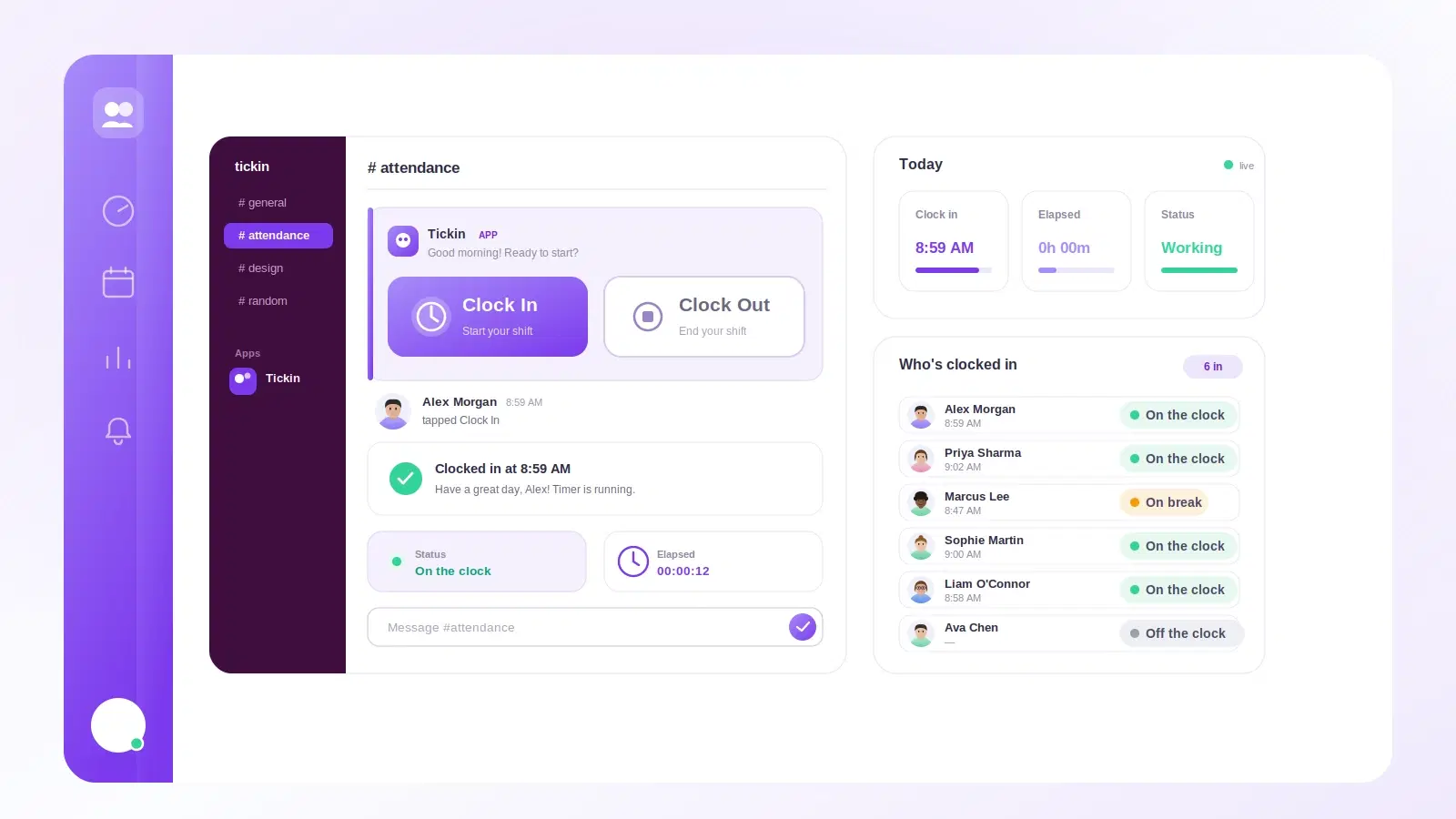
/tickin startin any channel or direct message. - The app timestamps the punch and replies, usually only to you, with a confirmation like "Clocked in at 9:02 AM."
- At the end of the day you type
/tickin endand get a quick summary: start, end, breaks, total hours.
That is it. No forms, no dropdowns, no separate portal for the daily case. The confirmation matters more than it looks. It closes the loop, so you know the punch landed and you are not silently missing from the record.
Slash commands work in Slack precisely because they are fast to type and hard to forget once they become habit.
The edge cases that actually decide the winner
Any tool can log a clean shift. The real test is what happens when the day gets messy, which it always does.
You forgot to clock out
This is the most common failure, and the most revealing. A weak tool lets the clock run all night and hands you a 16-hour shift. A good tool notices the open shift, flags it, and lets you or a manager set the true end time.
The record gets fixed in seconds. Nobody rebuilds the afternoon from memory or argues about it on Monday.
Breaks and lunch
Not all hours are paid hours. /tickin break pauses the clock and resumes it when you return, so lunch is recorded separately from working time. This keeps totals honest and prevents both over- and underpayment.
Whether a given break counts toward hours worked depends on your policy and local rules. We break that down in do breaks count as hours worked.
Corrections and edits
People misremember, mistype, or clock in on the wrong day. Corrections need to be easy but visible. The right approach lets you adjust a time while keeping an audit trail: original value, new value, who changed it, and when. That trail is what turns "trust me" into "here is the record."
Slack clock-in versus a standalone punch clock
| Factor | Standalone punch clock | Clock in and out in Slack |
|---|---|---|
| Extra login | Yes, every shift | No, already signed in |
| Where you punch | Separate app or portal | The tool you already use |
| Speed to clock in | 15 to 30 seconds | Under 3 seconds |
| Forgotten punches | Common | Rare, with reminders |
| Team visibility | Hidden | Shared and lightweight |
| Break tracking | Often clunky | One command |
| Corrections | Manual, opaque | Fast, with audit trail |
The pattern is consistent. Slack wins on the things that decide whether people actually use the system, and ties or wins on the rest.
A worked example
Let us follow one real day for Marco, a support lead paid hourly.
- 9:04 AM, Marco types
/tickin start. Slack confirms the start. - 12:30 PM, he types
/tickin breakfor lunch. The clock pauses. - 1:12 PM, he types
/tickin breakagain to resume. Lunch logged at 42 minutes. - 5:48 PM, Marco leaves without clocking out. Life happens.
- 6:15 PM, the app notices an open shift and sends him a gentle nudge in a DM.
- Next morning, he sets the end time to 5:50 PM, the moment he actually left.
Here is the math the timesheet records:
- Gross span: 9:04 AM to 5:50 PM = 8 hours 46 minutes.
- Minus lunch: 42 minutes.
- Paid time: 8 hours 4 minutes.
Compare that to the old spreadsheet version, where Marco would have guessed "about 8 hours" on Friday and been wrong by 26 minutes. Over a month of small errors like that, across 20 people, the drift adds up to real money and real disputes. Precise punches, one honest correction, and the number is simply right.
Keeping clock-ins instant, approvals separate
A common worry is that clock-ins will need manager sign-off and slow everyone down. They should not.
- Clocking in is instant. No approval, no waiting. The whole point is zero friction.
- Approvals happen at the timesheet. At the end of a week or pay period, a manager reviews totals, spots anything odd, and approves the sheet.
This split keeps daily life fast while giving managers one clean checkpoint. It also respects people. Nobody wants to ask permission to start working.
Where Tickin fits
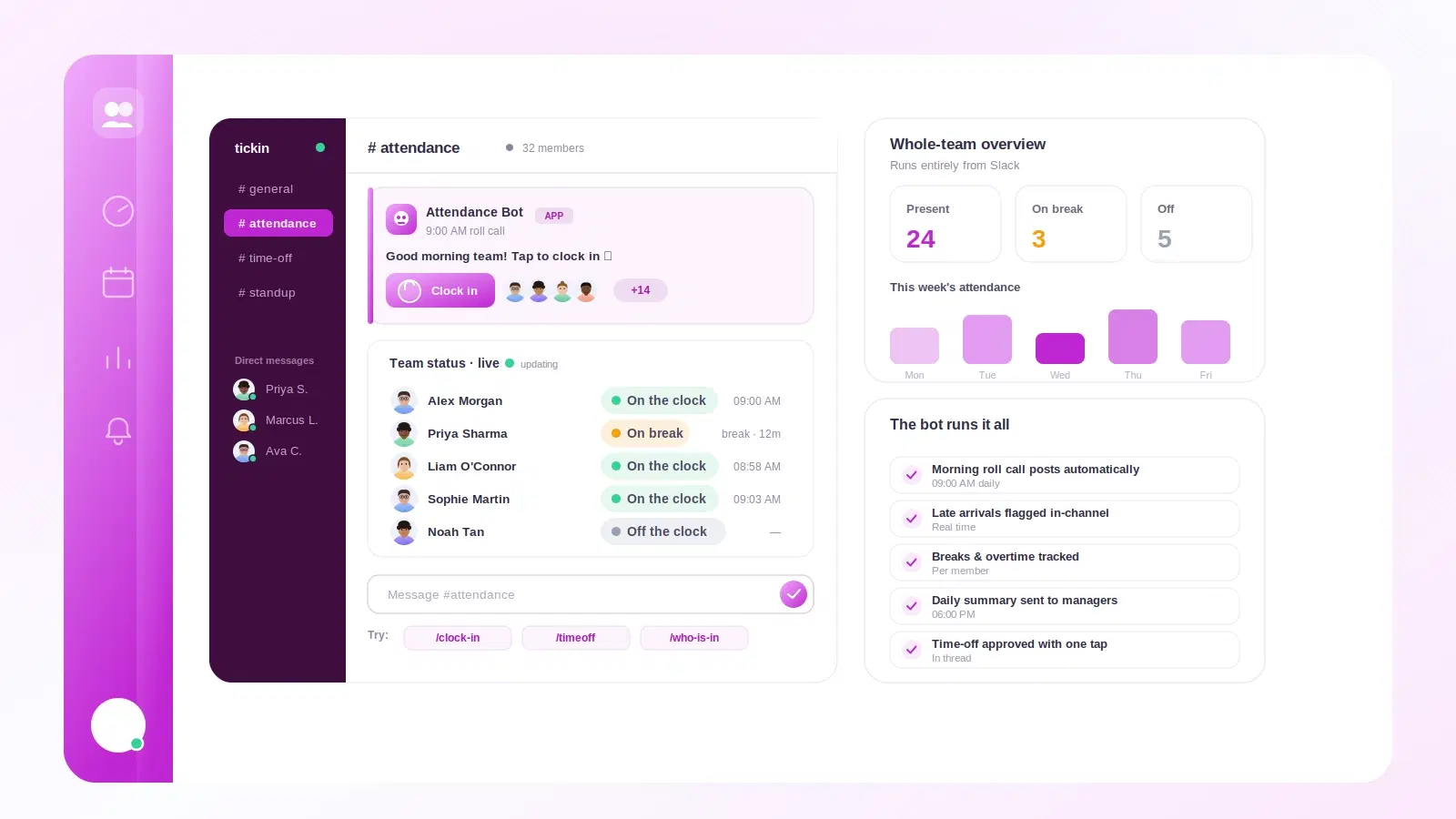
Tickin puts a full clock inside Slack. Your team types /tickin start, /tickin end, and /tickin break right where they already work, and every punch is timestamped and logged automatically.
It handles the messy parts by design. Open shifts get flagged instead of running forever. Breaks are tracked separately. Corrections keep an audit trail, so edits are transparent rather than mysterious. Managers get clean weekly timesheets to approve, without touching a single individual punch.
Tickin is free for up to 10 employees, so a small team can run real attendance tracking without a budget conversation. You can see the full command set on the command list, or start for free and have your team clocking in through Slack this afternoon.
Frequently asked questions
How do I clock in and out in Slack?
Type a slash command like /clockin to start your shift and /clockout to end it. A time tracking app connected to your workspace records the timestamp and confirms it back to you in Slack. In Tickin the commands are /tickin start and /tickin end.
What happens if I forget to clock out in Slack?
Good tools flag an open shift instead of running the clock forever. You or your manager can then set the correct end time, and the timesheet updates without anyone rebuilding the day from memory.
Can I track breaks when clocking in and out in Slack?
Yes. A break command pauses the clock and resumes it when you return, so lunch and short pauses are recorded separately from paid working time.
Is Slack accurate enough for attendance tracking?
For most small and distributed teams it is plenty accurate. Every punch is timestamped and logged, and edits leave an audit trail, which is more reliable than a shared spreadsheet.
Do managers need to approve clock-ins?
Not usually. Clocking in is instant. Approvals typically happen at the timesheet level at the end of a week or pay period, not on every single punch.
The takeaway
The best attendance tool is the one your team barely notices. Standalone punch clocks lose because they ask for a detour. Clocking in and out in Slack wins because the punch happens where people already are, and because good tools handle the messy edge cases instead of pretending they do not exist.
Get the flow right, keep clock-ins instant, and let approvals live at the timesheet, and your data goes from full of holes to genuinely trustworthy.
Ready to make attendance effortless? Start for free and let your team clock in from Slack today, then read how to track time in Slack to set up the rest of your workflow.