Best Employee Productivity Tools That Don't Spy on Your Team
Employee productivity tools compared on privacy first: which take screenshots or track apps, whether it is on by default, and what employees can see. Tickin, Toggl Track, Timely, Harvest, RescueTime and Clockify, plus the monitoring-first tools.
Most "employee productivity tools" are really monitoring tools: they take screenshots, log applications and measure keyboard and mouse activity from the moment they're installed. Some teams need that. Many don't, and find that surveillance costs more in trust than it returns in insight.
This guide starts from the other end. It compares productivity tools on privacy first: whether they take screenshots, track applications and websites, or measure input; whether any of that is on by default; and what employees can see about themselves. Facts come from each company's own pricing, feature and help pages as of October 2026. Plans change, so check the current terms before you commit.
TL;DR
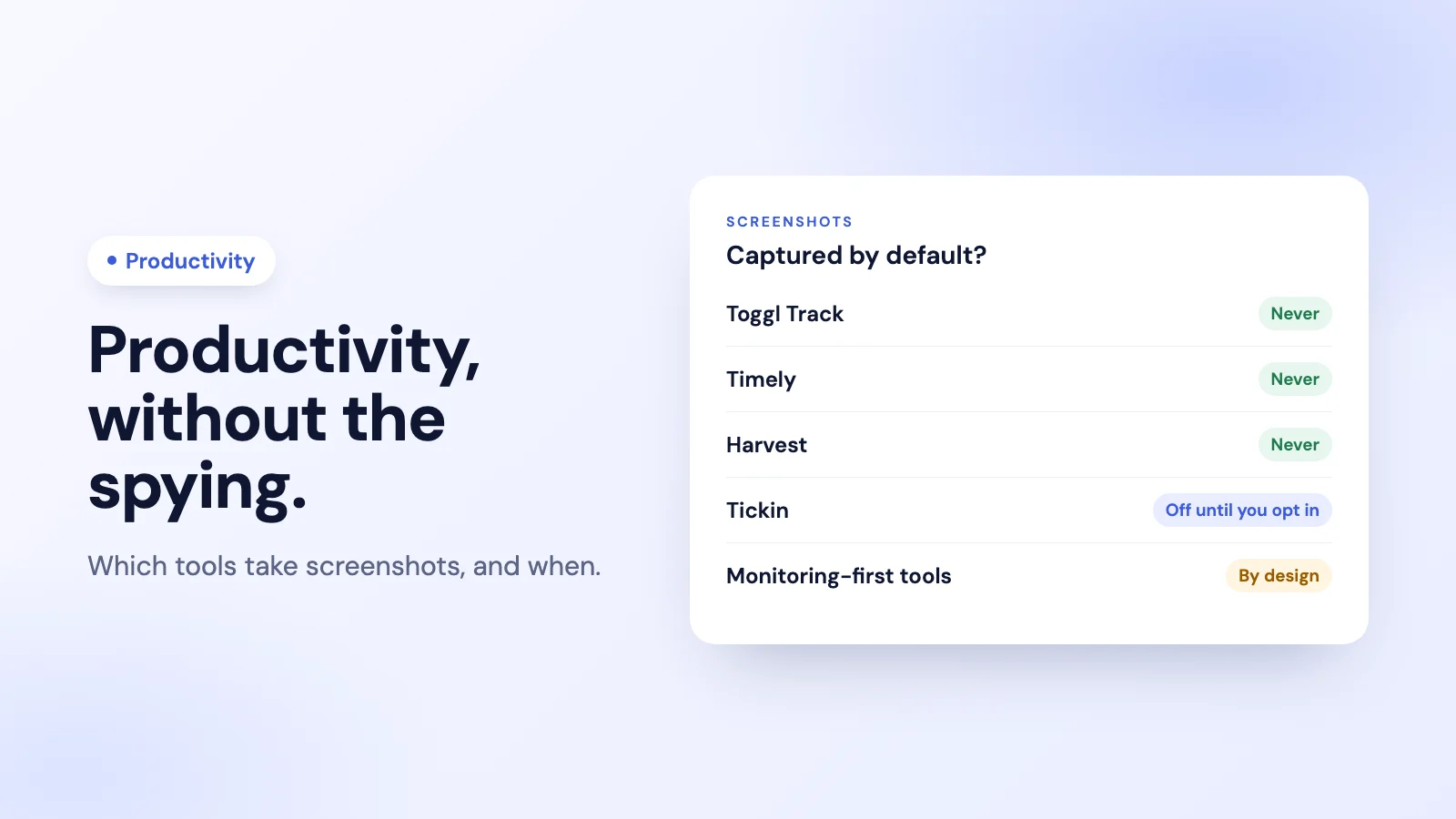
- No screenshots at all: Toggl Track, Timely and Harvest.
- Insights from the work day, monitoring off unless you switch it on: Tickin, free for up to 10 employees in Slack.
- Personal focus data: RescueTime, built for individuals measuring their own time.
- Monitoring-first tools: Hubstaff, Time Doctor, ActivTrak and Insightful are built around screenshots or activity tracking. They suit teams that need proof of work, and each lets you turn some of it down.
The privacy picture at a glance
| Tool | Screenshots | Apps and websites | Default | Employees see their own data | Free plan |
|---|---|---|---|---|---|
| Toggl Track | None | Desktop timeline the user controls | User decides | Yes | Up to 3 users |
| Timely | None | Window titles and URLs, private to the user | Private timeline | Yes, and only them | No |
| Harvest | None | No | Not applicable | Yes | 1 seat, 2 projects |
| Tickin | Optional, via the Desktop add-on | Optional, via the Desktop add-on | Off until an admin turns it on | Yes | Up to 10 employees |
| RescueTime | Not stated on its pricing page | Yes, its core purpose | For the individual | Yes | Lite plan |
| Clockify | No; activity monitoring on higher plans | Auto tracker visible only to the user | Auto tracker private | Yes | Up to 5 users |
Sources: each company's own pricing, feature and help pages, October 2026.
1. Toggl Track: no screenshots, no surveillance
Toggl Track says it plainly on its pricing page: no screenshots, no surveillance. Its desktop app can keep a timeline of the applications and sites someone used, but the person decides what becomes a time entry. Native Slack commands let people start and stop timers from the chat.
Price: free for up to 3 users; paid plans from $9 per user a month billed annually ($12 monthly). Best for: small teams that want fast, friendly time tracking with no monitoring. Honest weakness: the free plan stops at 3 users, and it is a time tracker rather than an attendance or leave tool.
2. Timely: automatic tracking that stays private
Timely records activity automatically, but its help centre is explicit: it never records keystrokes, screenshots or audio, and the activity timeline is private to the employee. The employer sees only the time entries the employee chooses to log. Its pricing page lists a Microsoft Teams integration.
Price: from $9 per user a month billed annually ($11 monthly). No free plan. Best for: teams that want automatic time capture without anyone else watching it. Honest weakness: no free plan, and because the timeline is private, managers get logged hours rather than activity detail.
3. Harvest: time and invoicing, nothing more
Harvest tracks time against projects and clients and turns it into invoices. There are no screenshots and no activity tracking. Native Slack commands start and stop timers.
Price: free for one seat and two projects; paid plans from $9 per seat a month billed annually ($11 monthly). Best for: agencies and consultants who bill clients for time. Honest weakness: it is built for billable projects, not for attendance, breaks or leave.
4. Tickin: productivity insights from the work day, monitoring off by default
Tickin starts from attendance rather than activity: people clock in and out from Slack with /tickin start and /tickin end, from the web, or from Microsoft Teams on the Scale plan. That record becomes the numbers a manager needs: hours worked against required hours, late starts, breaks and overtime. Managers can ask Slack who is working right now or subscribe a channel to a daily, weekly or monthly report.
Tickin does have monitoring, and it is fair to say so: through the Desktop App add-on it can record the active application, the website domain and a periodic screenshot. It is off by default, it needs both the add-on and an admin switching it on, and it never records keystroke content, breaks, idle time or admins. Every employee sees their own record.
Price: free for up to 10 employees; Starter from $2 per employee a month. The Desktop App add-on is available on paid plans. Best for: small teams in Slack that want productivity insights from attendance, with monitoring only if they choose it. Honest weakness: it is not a project-billing tool on its lower plans (project time is on Scale), and it has no native phone app.
See Tickin's employee productivity tool for how the opt-in works, or the Slack productivity page.
5. RescueTime: personal focus data
RescueTime measures how an individual spends time across applications and websites, so people can see their own focus patterns. It works best as a personal tool that someone chooses for themselves. Its team plan has a Slack integration for timesheets.
Price: a free Lite plan; Team from $10 per user a month billed annually ($12 monthly). Best for: individuals who want to understand and improve their own focus. Honest weakness: application and website tracking is its core purpose, so rolling it out to a team needs a clear conversation about who sees what.
6. Clockify: privacy-friendly if you keep it that way
Clockify's auto tracker records apps and sites but keeps them visible only to the user. Its higher plans add an agent-based activity monitoring option, so how private Clockify is depends on which features you turn on. It has no native Slack or Microsoft Teams app; its help centre points to Zapier or Make.
Price: its pricing page lists the free plan for up to 5 users; paid plans from $3.99 per user a month billed annually ($4.99 monthly). Best for: budget-conscious teams that want a low per-seat price. Honest weakness: monitoring is available on higher plans, so check your settings, and there is no native chat integration.
Monitoring-first tools, for comparison
These tools are built around activity tracking or screenshots. They are a reasonable choice when you need proof of work, for example for client billing or compliance, and each lets you turn some monitoring down.
- Hubstaff: screenshots up to three every ten minutes, application and URL tracking, and an activity percentage based on whether input happens. It does not log keystrokes, admins can set screenshots to none per member, and members can delete their own screenshots. From $4.99 per seat a month billed annually, according to Hubstaff. See Tickin vs Hubstaff.
- Time Doctor: screenshots on its Basic plan and up, with options for none or blurred per team; its FAQ describes frequent, unblurred screenshots as the default. From $6.67 per user a month billed annually. See Tickin vs Time Doctor or our list of Time Doctor alternatives without screenshots.
- ActivTrak: application and website activity on every plan, including its free plan for up to 3 people; screenshots are an add-on. From $10 per user a month, billed annually. See Tickin vs ActivTrak.
- Insightful: screenshots, with more frequent screenshots and screen recording as paid add-ons. From $8 per seat a month billed annually.
How to choose a productivity tool your team will trust
- Decide what question you're answering. "Are people working the hours we agreed?" needs attendance. "Where do project hours go?" needs time tracking. "What is on everyone's screen?" is the only question that needs screenshots.
- Start with the least invasive tool that answers it. You can always turn more on later; turning surveillance off doesn't undo the damage to trust.
- Make it visible to the people it measures. A tool where everyone sees their own data is easier to introduce, and fairer.
- Check the law where your people work. Monitoring rules vary widely by country. If you do introduce it, our guide to introducing employee monitoring covers how to do it openly.
Frequently asked questions
What is a non-invasive employee productivity tool?
One that measures how work went (hours, attendance, time on projects) without screenshots, keystroke logging or screen recording by default. Toggl Track, Timely and Harvest take no screenshots at all; Tickin records hours and attendance and keeps its optional monitoring off until an admin switches it on.
Do employee productivity tools take screenshots?
Some do and some don't. Hubstaff, Time Doctor and Insightful offer screenshots, and ActivTrak offers them as an add-on. Toggl Track, Timely and Harvest take none. Tickin can take periodic screenshots only through its Desktop App add-on, after an admin turns monitoring on.
Can employees see their own productivity data?
In every tool in our privacy-first list, yes. With Timely, the activity timeline is private to the employee and the employer cannot see it. In Tickin, each person sees their own record and nobody else's.
Is employee monitoring legal?
It depends on the country and on how it is done. Many jurisdictions require employees to be told, and some, including parts of the EU, restrict it heavily. Get advice for your location before turning on any monitoring.
The takeaway
The best employee productivity tool is the least invasive one that answers your real question. For time tracking with no screenshots at all, look at Toggl Track, Timely or Harvest. For attendance-based productivity insights in Slack, with monitoring available but off unless you choose it, Tickin is free for up to 10 people. Reach for monitoring-first tools only when you genuinely need proof of work, and tell your team exactly what they record.