Timesheet Approval Process: A Simple Workflow for Small Teams
A timesheet approval process that is quick and fair: who approves, what to check, deadlines, handling corrections and overtime, and locking the period for payroll.
Timesheet approval is the moment hours become pay. Done well, it takes a few minutes and catches the handful of mistakes that would otherwise turn into payslip disputes. Done badly, it is a monthly scramble of chasing people and guessing what happened three weeks ago.
This guide sets out a simple timesheet approval process for a small team: who approves, what to look at, the deadlines that keep it moving, and how to handle corrections and overtime.
What a timesheet approval process is for
Approving a timesheet means someone who knows the work confirms that the recorded hours are right before payroll uses them. It protects both sides:
- The business does not pay for hours that were never worked, such as a clock left running overnight.
- The employee gets paid for hours that were worked but recorded wrongly, such as a missed clock-in.
- Everyone gets a clear point after which the hours for the period are settled.
Step 1: decide who approves
The approver should be the person closest to the work, usually the direct manager or team lead. On very small teams, the owner or an admin approves everyone.
Two rules keep it fair:
- Nobody approves their own hours.
- Every person has exactly one approver, with a named backup for holidays.
Step 2: set a rhythm and deadlines
Approvals stall when nobody knows when they are due. Put three dates on the calendar for every pay period:
- Hours complete: the day everyone's hours for the period should be recorded and corrected.
- Approval due: the day the approver signs off.
- Payroll cut-off: the day the period is locked and sent to payroll.
Many teams review weekly even when they pay monthly. A week is short enough that people still remember what happened.
Step 3: review the exceptions, not every line
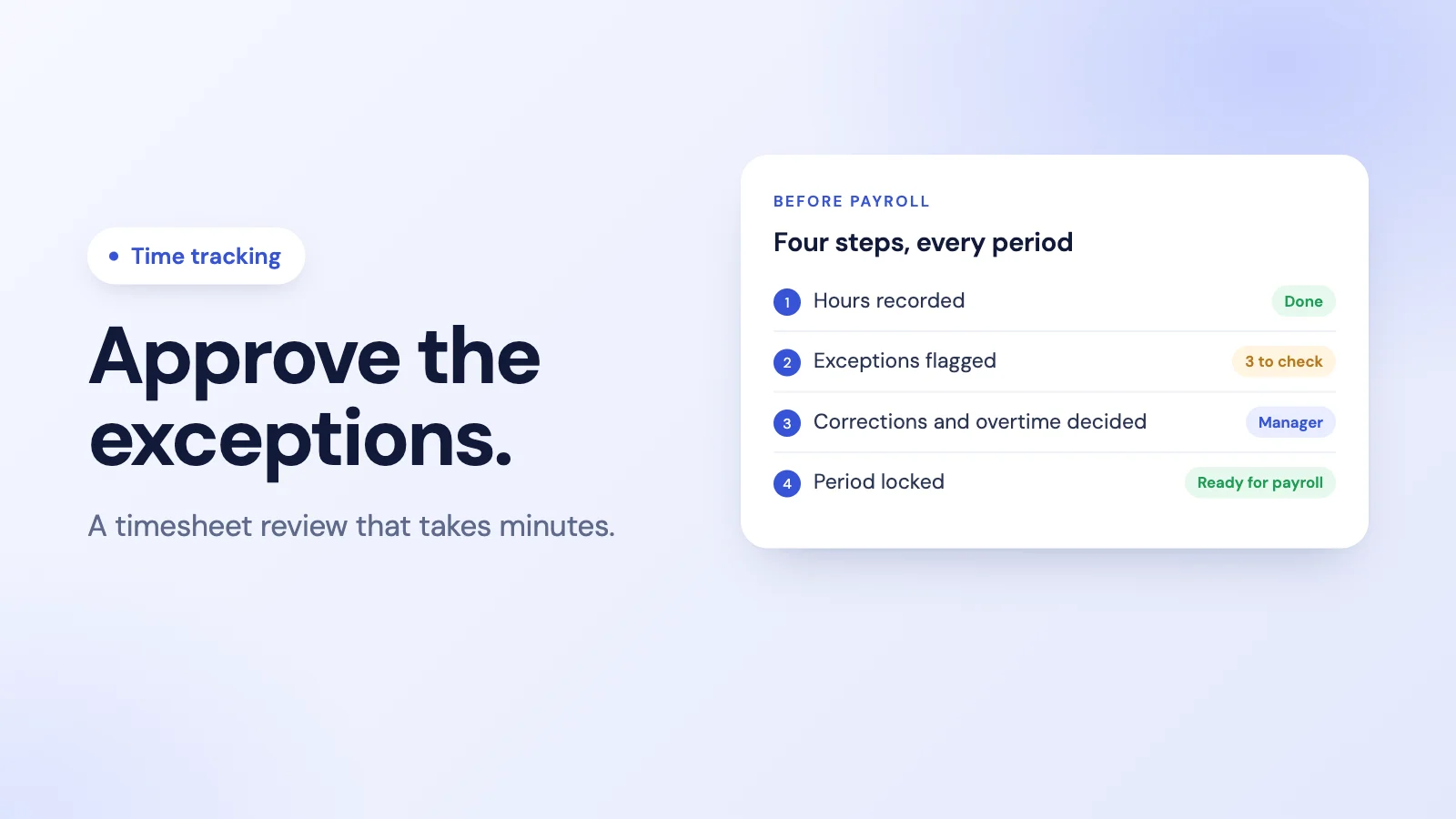
Most timesheets are fine. Reading every line wastes time and hides the few that need attention. Look for exceptions instead:
- Missing days, where someone was expected to work and has no hours and no leave.
- Sessions that ran far too long, usually a forgotten clock-out.
- Overtime, especially unexpected or recurring overtime. Our guide to tracking overtime fairly covers what to look for.
- Hours on leave days, which usually point to a recording mistake.
- Corrections made since the last review, and who made them.
If the hours themselves are in doubt, our guide on how to calculate hours worked covers breaks, overnight shifts and decimal hours.
Step 4: correct, do not overwrite
When something is wrong, fix it in a way that leaves a record:
- The employee proposes the correct time with a short reason, because they know what happened.
- The approver accepts or rejects it, with a note when rejecting.
- The original and the corrected times are both kept, with who changed what and when.
A record like that turns a later question ("why was I paid for 7 hours that day?") into a thirty-second lookup instead of a dispute.
Step 5: approve overtime separately
Overtime deserves its own decision, because it costs more and is where most disagreements start. Approve it explicitly, by person and by period, rather than letting it ride along with the rest of the hours. Decide in advance who can approve overtime and whether it needs approval before it is worked or only after.
Step 6: lock the period
Once hours are approved and overtime is decided, lock the period. After that, changes go through a correction in the next period, not a silent edit to a period that has already been paid. Locking is what makes the numbers on a payslip final.
Common problems and fixes
- Approvals arrive late. Put the deadline in the calendar and send one reminder the day before.
- Managers rubber-stamp. Show them the exceptions first, so there is something specific to look at.
- Corrections pile up at month-end. Review weekly, and let people request corrections as soon as they notice.
- Timesheets are typed from memory. Recording hours with a clock, rather than filling in a sheet at the end of the week, removes most of the errors before review. Our timesheet software buyer's guide covers the options.
How approval works in Tickin
Tickin's time tracking tool takes a different route from the weekly timesheet: there is nothing for employees to fill in or submit. Hours come straight from clock-ins in Slack, on the web or in the optional Desktop App (and Microsoft Teams on the Scale plan), so approval focuses on the exceptions.
- Corrections are requests. If a time is wrong or a day is missing, the employee requests an attendance adjustment with the real times and a reason. On every plan an admin approves it; on the Growth plan and above, a team lead approves first and then the admin. Each request keeps the original and requested times, the reason, who decided and when.
- Overtime is approved separately, by an admin, from the Starter plan once overtime tracking is on; Growth and above can also approve it daily. Each month, detected overtime is reconciled against the hours the month required, and only the surplus goes to the admin to approve.
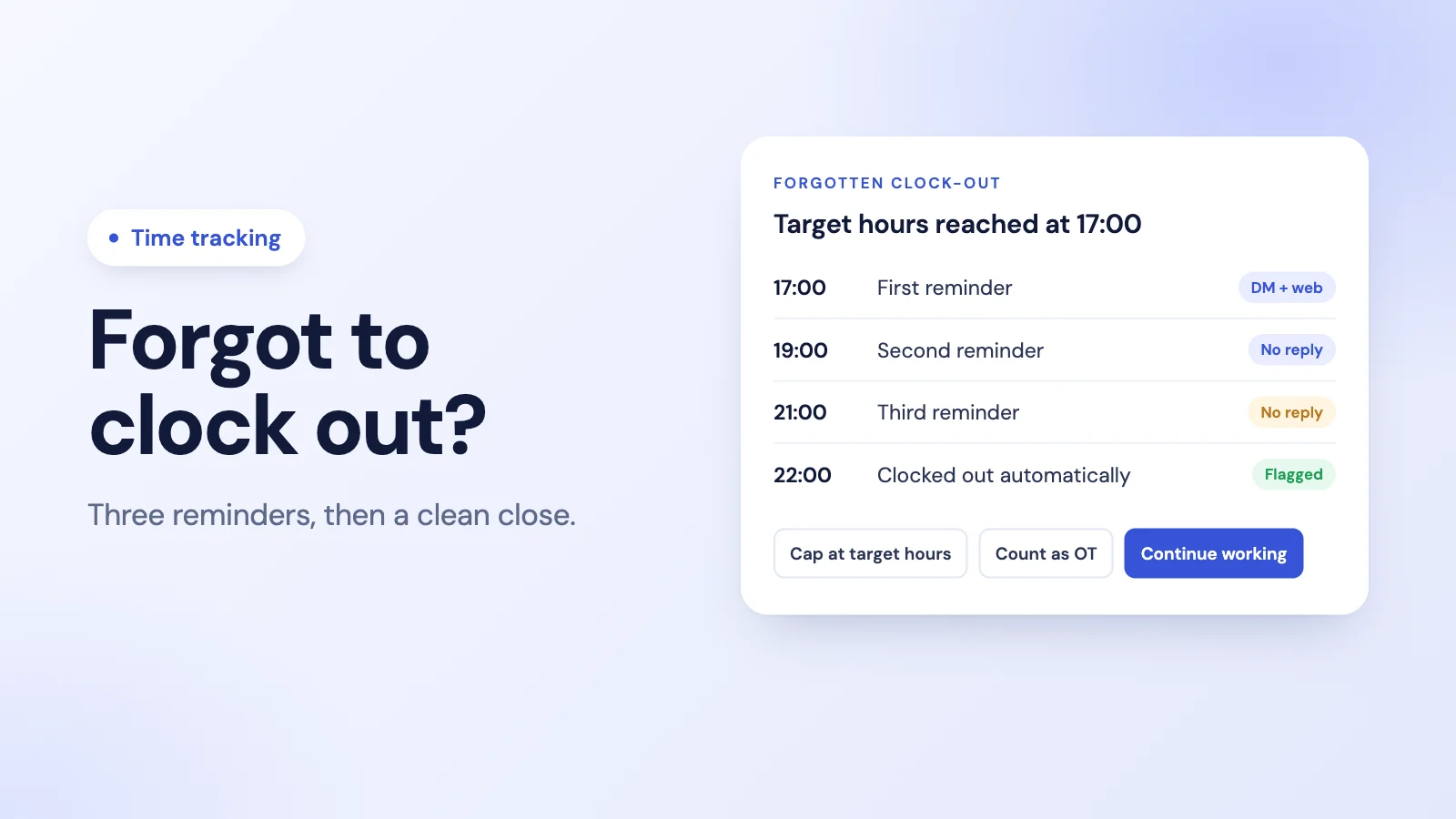
- Forgotten clock-outs are caught early. Tickin reminds people who are still clocked in at their target hours and closes the session if nobody answers, flagging it for review.
- Records are kept. On the Growth plan and above there is a full audit log and CSV exports for payroll.
What Tickin does not have is a period-end step where each employee submits a timesheet and a manager signs it off. If your process requires that formal sign-off, plan to keep it alongside Tickin. See attendance tracking in Tickin, or start from our timesheet template.
Frequently asked questions
What is a timesheet approval process?
It is the routine by which a manager checks the hours each person recorded for a pay period and confirms them before payroll runs. A good process sets who approves, what they check, the deadline, how corrections are made and when the period is locked.
Who should approve timesheets?
The person who knows the work best, usually the direct manager or team lead. For small teams the owner or an admin often approves everything. Whoever it is, they should not approve their own hours.
What should a manager check before approving a timesheet?
Missing days, sessions that ran far too long, unusual overtime, hours on days the person was on leave, and any corrections made since the last period. Most timesheets need no change; the review is about spotting the exceptions.
How often should timesheets be approved?
At least once per pay period, before payroll runs. Many teams review weekly even when they pay monthly, because problems are easier to fix while everyone still remembers the week.
Does Tickin have timesheet approval?
Tickin does not use a weekly submit-and-approve timesheet. Hours come straight from clock-ins, and approval happens on the exceptions: employees request attendance adjustments, which an admin approves (on Growth and above a team lead approves first), and overtime is approved by an admin, from Starter once overtime tracking is on (daily approval on Growth and above).
The takeaway
A good timesheet approval process is short: one approver per person, fixed deadlines, a review of the exceptions rather than every line, corrections that leave a record, overtime decided on its own, and a locked period before payroll. The less typing from memory your process involves, the less there is to approve.