HR and Payroll in One Place: What Small Teams Actually Need
Why small teams combine HR and payroll in one tool, the features that matter on day one, the ones that can wait, and the questions to ask before you buy.
For a small team, "HR" and "payroll" are rarely two departments. They are one person, a few spreadsheets and a monthly scramble to turn hours and leave into pay. Putting both in one place removes the scramble, as long as you buy for the problems you actually have.
This guide covers why combining them helps, which features matter on day one, which can wait, and what to ask before you choose.
Why HR and payroll belong together
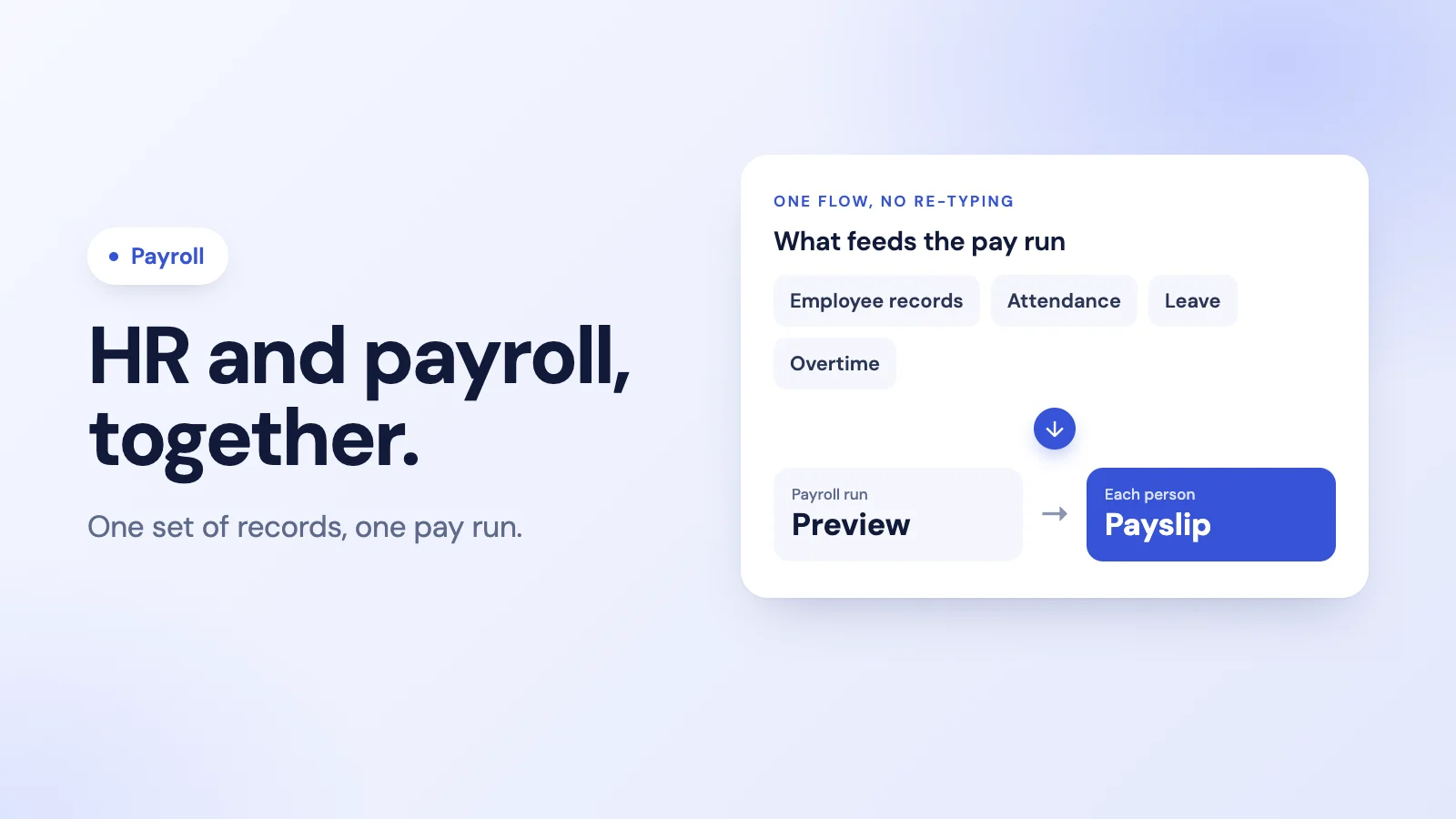
Payroll is built entirely from HR data:
- Who is employed, from when, and at what rate.
- How many hours they worked, and when.
- What leave they took, paid or unpaid.
- What overtime was approved.
- What changed: new starters, leavers, pay rises.
When these live in a different place from payroll, someone exports them, re-types them or reconciles two lists every pay period. That hand-off is where most payroll mistakes begin: the leave approved on Monday that never reached the spreadsheet, the overtime nobody signed off.
In one system, the pay run reads the same records the team already keeps. The run becomes a check, not a reconstruction.
What a small team needs on day one
- Employee records: a single list of who works for you, their role, start date and pay.
- Time and attendance: when people actually worked, with breaks handled. See time tracking for small businesses.
- Leave: requests, approvals and balances, with the calendar showing who is off. See leave management for small teams.
- Overtime approval: extra hours approved before they are paid.
- Payroll and payslips: pay calculated from the above, with an itemized payslip for each person.
- Self-service: people check their own hours, leave and payslips without asking.
- An audit trail: who changed what, and when, for anything that affects pay.
- Export: your data out, in a format your accountant can use.
What can wait
- Recruiting and applicant tracking, until you hire often enough to need a pipeline.
- Performance reviews, which a small team can run in a shared document.
- Benefits administration, often handled by your benefits provider or broker.
- Complex org charts and workflows, which pay off only with several layers of management.
Buying these early adds cost and setup without solving the monthly problem.
Software or service?
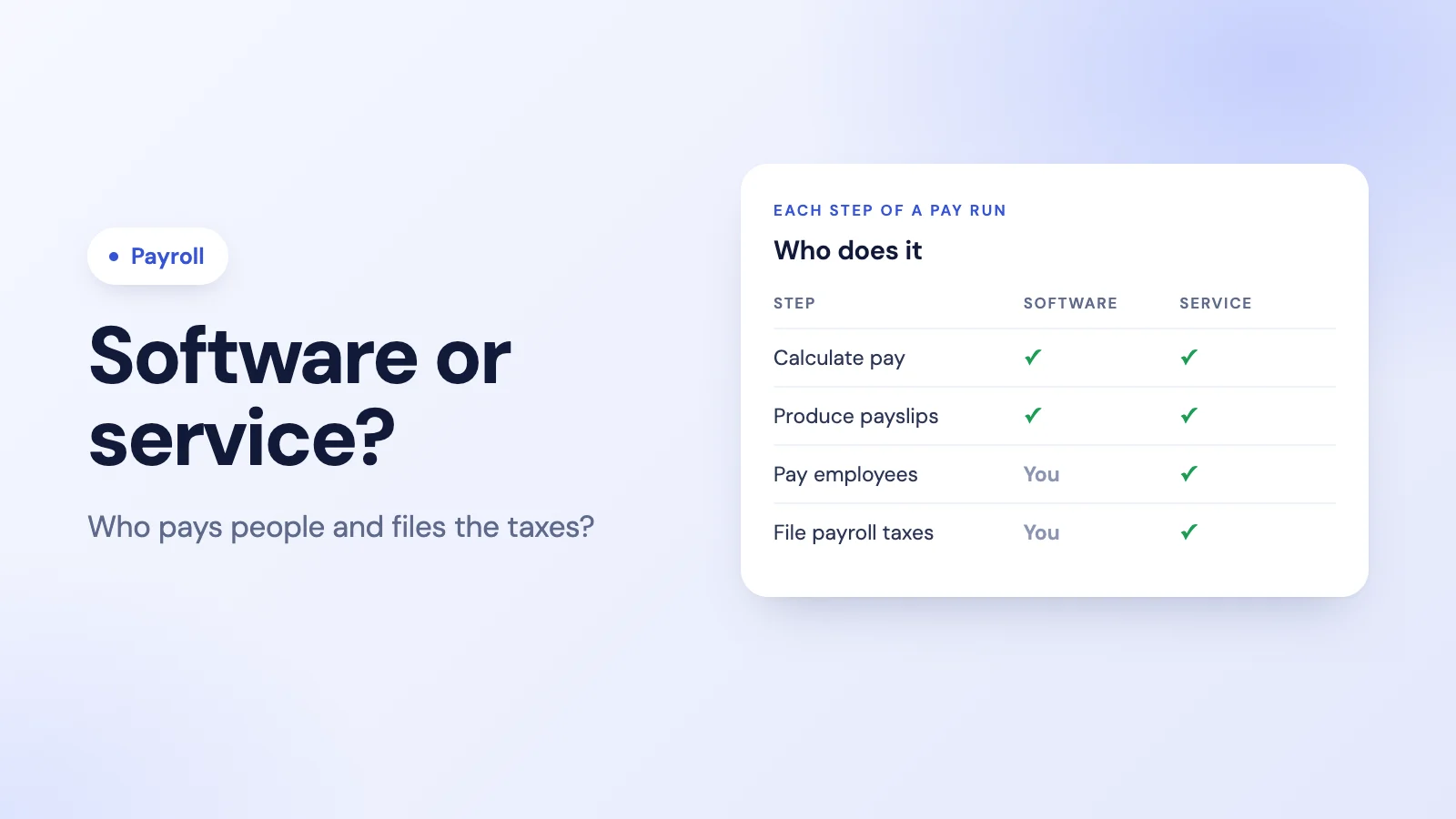
Combining HR and payroll in one tool decides where the records live. It does not decide who pays people and files payroll taxes. HR and payroll software calculates pay and payslips; a payroll service also moves the money and files the returns. Many small teams use the software with an accountant for filings. See payroll software vs a payroll service for the trade-off.
Questions to ask before you buy
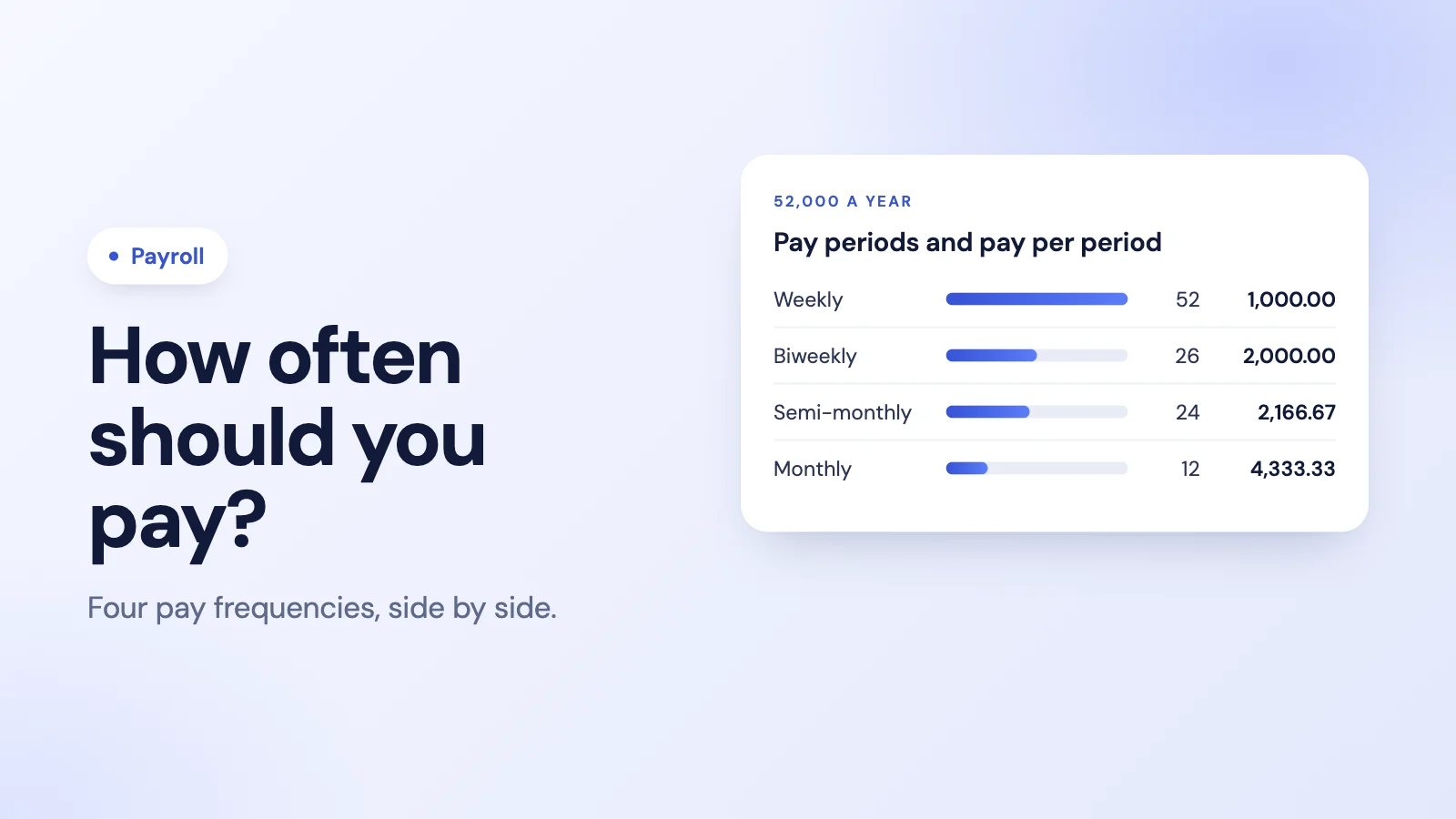
- Does it support where and how you pay people? Countries, currencies and pay frequencies. Our guide to pay frequency explains the options.
- Does it pay employees and file taxes, or leave that to you? Be clear which you are buying.
- Where do hours and leave come from? The tool your team will actually use every day, or a separate one you have to keep in sync?
- What can employees do themselves? Checking hours, requesting leave, seeing payslips.
- How are corrections handled and recorded? Pay changes should leave an audit trail.
- How do you get your data out? CSV export at minimum.
- What does it cost as you grow? Per employee, per location, or a base fee plus users.
Where Tickin fits
Tickin puts attendance, leave and payroll in one place, used from the chat your team already works in:
- Every plan: clock-in and breaks from Slack, Microsoft Teams or the web, leave requests and balances, holiday calendars, attendance reports, employee profiles, shift scheduling and monthly payroll with itemized PDF payslips. Free for up to 10 employees.
- Growth ($3 per employee a month): weekly pay, daily overtime approval, CSV export and an audit log.
- Scale ($6): hourly rates, and unlimited shift types and projects.
- Pro ($12): everything unlimited, including Tickin Meet hours.
What it does not cover: recruiting, performance reviews and benefits. Its payroll calculates pay and produces payslips; it does not pay employees or file taxes, which stay with you, your bank or your accountant.
For a closer look, see all-in-one HR software that lives in Slack and Teams, HR software for small businesses, or payroll in Tickin.
Frequently asked questions
Why combine HR and payroll in one system?
Because payroll is built from HR data: who is employed, at what rate, how many hours they worked, what leave they took and what overtime was approved. When those live in the same system, the pay run reads them directly instead of someone re-typing them, which is where most payroll mistakes start.
What HR features does a small team need first?
Employee records, attendance or time tracking, leave requests and balances, overtime approval, and payslips. Recruiting, performance reviews and benefits administration can usually wait until the team is larger.
Is HR and payroll software the same as a payroll service?
No. Software keeps the records and calculates pay; a payroll service also pays employees and files payroll taxes. Some small teams use software with an accountant for filings, others pay for a full service.
What should I ask before buying HR and payroll software?
Which countries and pay frequencies it supports, whether it pays employees and files taxes or leaves that to you, where hours and leave come from, what employees can do themselves, how corrections are audited, and how you get your data out.
Does Tickin do HR and payroll?
Tickin covers attendance, leave, shift scheduling and payroll with itemized payslips on every plan, and daily overtime approval on Growth and above, all usable from Slack or Microsoft Teams. It does not cover recruiting, performance reviews or benefits, and it does not pay employees or file taxes.
The takeaway
For a small team, HR and payroll in one place means one set of records feeding one pay run: who works for you, when they worked, what leave and overtime they had, and the payslip that follows. Buy for those first, leave the rest until you need it, and be clear about who pays people and files the taxes.