Free Employee Time Clock App: Clock In From the Web, Slack or Teams
What a free employee time clock should do, the limits to check before you rely on one, and how Tickin's free plan works from the web, Slack and Teams.
A time clock has one job: record when each person starts and stops work, accurately, without getting in the way. For a small team, a free one can do that job well, as long as you know where its limits are before you rely on it for pay.
This guide covers what a free time clock should do, the limits to check, and how Tickin's free plan works.
What a good time clock does
- Records clock-in and clock-out for each person, from their own account.
- Handles breaks, so worked time excludes them.
- Shows who is working now, without anyone asking.
- Catches the forgotten clock-out, because someone always forgets. See what to do when an employee forgets to clock out.
- Allows corrections with a record, so a wrong time can be fixed without arguments.
- Produces hours you can trust for reports and, eventually, pay.
Where people clock in
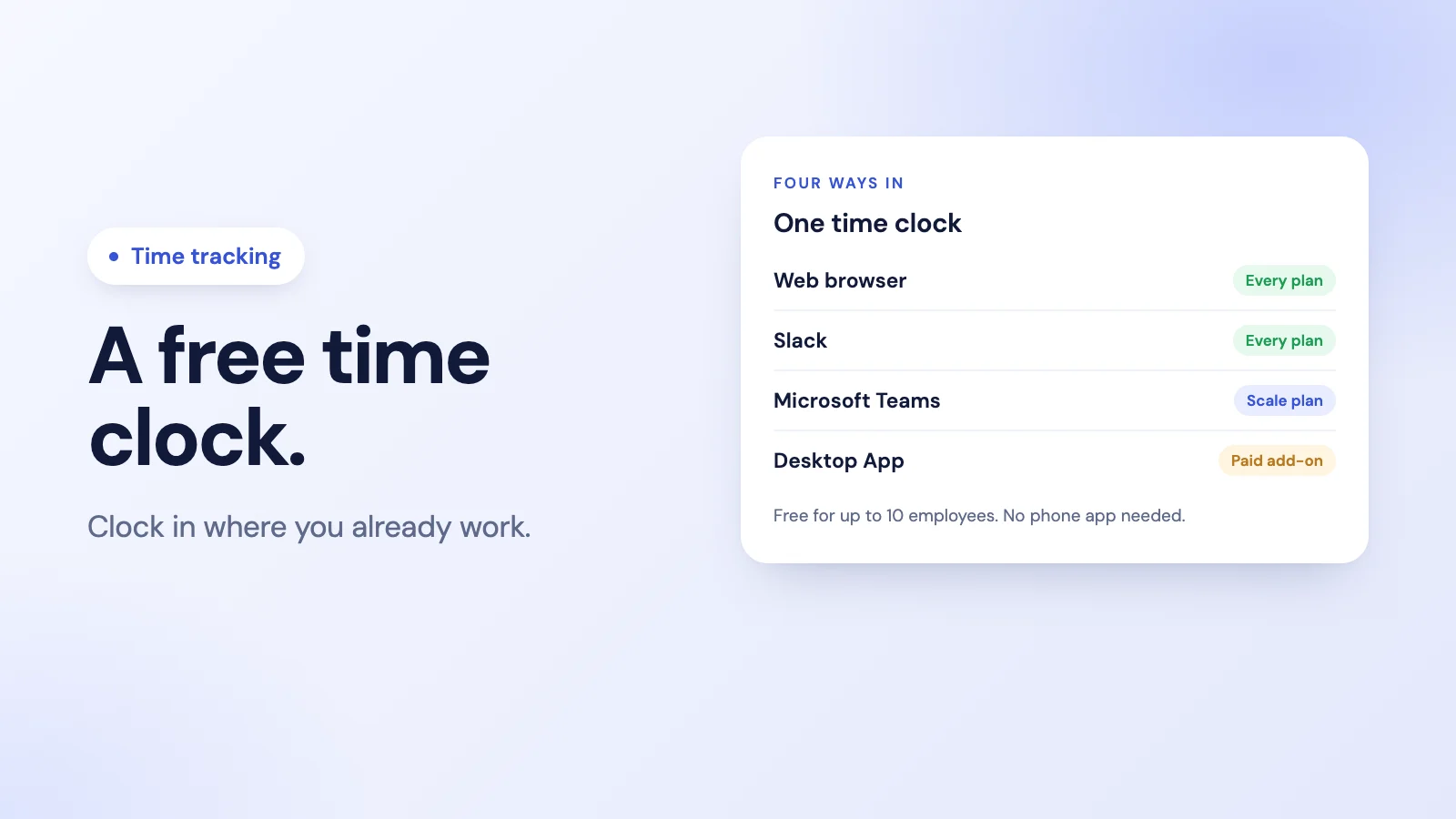
The best clock is the one people actually use, which usually means the one already open on their screen:
| Where | Best for |
|---|---|
| A web browser | Anyone with a computer or a phone browser |
| Slack | Teams who work in Slack all day |
| Microsoft Teams | Teams who work in Teams all day |
| A desktop app | Teams who want the clock on the computer itself |
| A phone app | Deskless and field teams who rarely sit at a computer |
| A shared kiosk | One location where everyone passes the same device |
For office and remote teams, a clock inside the chat tool tends to get the most consistent use, because nobody has to open anything new.
The limits to check in a free plan
Free plans differ more in their limits than their features. Before you commit, check:
- The user cap. Many free plans stop at a few users. Will it still fit after your next hire?
- History. Some free plans only keep recent data.
- Exports. Can you get your hours out, or only view them?
- Overtime and payroll. Often paid features, which matters if hours feed pay.
- Where people can clock in. Web only, or the tools your team uses?
- Corrections and audit. Can mistakes be fixed with a record of who changed what?
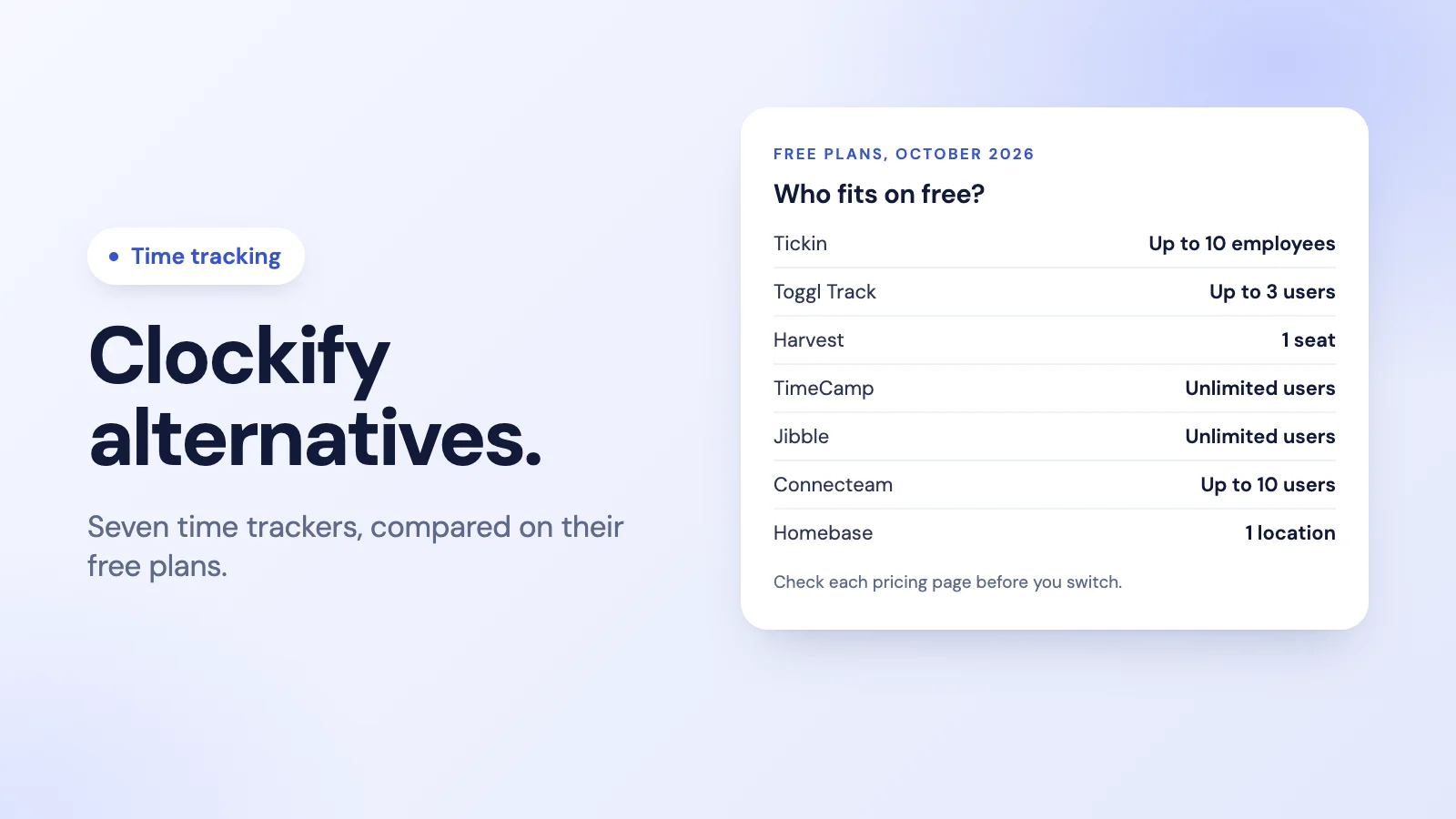
For a side-by-side look at free options, see the best free time tracking tools.
Tickin's free time clock
Tickin is free for up to 10 employees, with no time limit. On the Free plan:
- Clock in and out with
/tickin startand/tickin endin Slack, from Microsoft Teams, or in the browser. - Breaks with
/tickin break, deducted from worked time. - Leave requests, approvals and balances, with holiday calendars.
- A company dashboard showing who is working, on a break or on leave.
- Attendance reports and weekly report emails.
- Forgotten clock-out reminders, and corrections through attendance adjustments.
- Shift scheduling with up to 2 shift types.
- Monthly payroll and payslips.
- A 1-month trial of Projects and Tickin Meet.
There is no separate iOS or Android app. On a phone, people clock in from the Slack app, the Microsoft Teams app, or the mobile browser.
What needs a paid plan
| Feature | Plan |
|---|---|
| More than 10 employees | Starter, $2 per employee a month |
| Weekly pay, daily overtime approval, CSV export, audit log | Growth, $3 |
| Hourly pay rates, unlimited shift types and projects | Scale, $6 |
| Unlimited Tickin Meet hours | Pro, $12 |
| Desktop App, including optional GPS geofencing | Add-on on paid plans, $3 per seat |
Annual billing saves 20% on every paid plan.
Keeping a time clock honest
- One person, one account. Clocking in from your own Slack or Teams login makes clocking in for someone else much harder than with a shared device. See how to prevent buddy punching.
- A clear grace period so a minute late is not treated like an hour. See grace periods explained.
- Corrections in the open. A requested adjustment with a reason beats a silent edit.
- Location only where it matters. GPS geofencing with the Desktop App add-on can confirm where clock-ins happen; most office and remote teams do not need it. See GPS attendance and geofencing.
Ready to try it? See time tracking in Tickin or free HR software for small teams.
Frequently asked questions
Is there a completely free employee time clock app?
Yes, several, but each free plan has limits: a cap on users, locations or history, or features held back for paid plans. Tickin is free for up to 10 employees, with clock-in from the web, Slack and Microsoft Teams, breaks, leave and attendance reports.
Can employees clock in from their phone?
With Tickin, yes, but not through a separate app. There is no iOS or Android app; on a phone, people clock in from the Slack app, the Microsoft Teams app, or the mobile browser.
What is not included in Tickin's free plan?
Daily overtime approval, CSV export, the audit log and monthly report emails are on the Growth plan, and the Desktop App add-on, which also enables GPS geofencing, is available on paid plans only.
How do I stop employees clocking in for each other?
Use a time clock where each person clocks in from their own account, such as their own Slack or Teams login, rather than a shared device. Make the policy clear, and check unusual patterns. Optional GPS geofencing with the Desktop App add-on on paid plans can confirm location.
What happens if someone forgets to clock out?
Tickin sends reminders on every plan, and can close the session automatically. If the times are wrong, the employee can request an adjustment, or an admin can correct it.
The takeaway
A free time clock is worth using if it fits your team today and next year, sits where people already work, and gives you hours you would trust for pay. Check the user cap, exports and paid-only features first, then pick the one your team will actually open every morning.