Work From Home Policy: What to Include (With a Simple Outline)
What a work from home policy should cover: eligibility, requesting WFH days, core hours and availability, recording attendance, equipment, security and expenses.
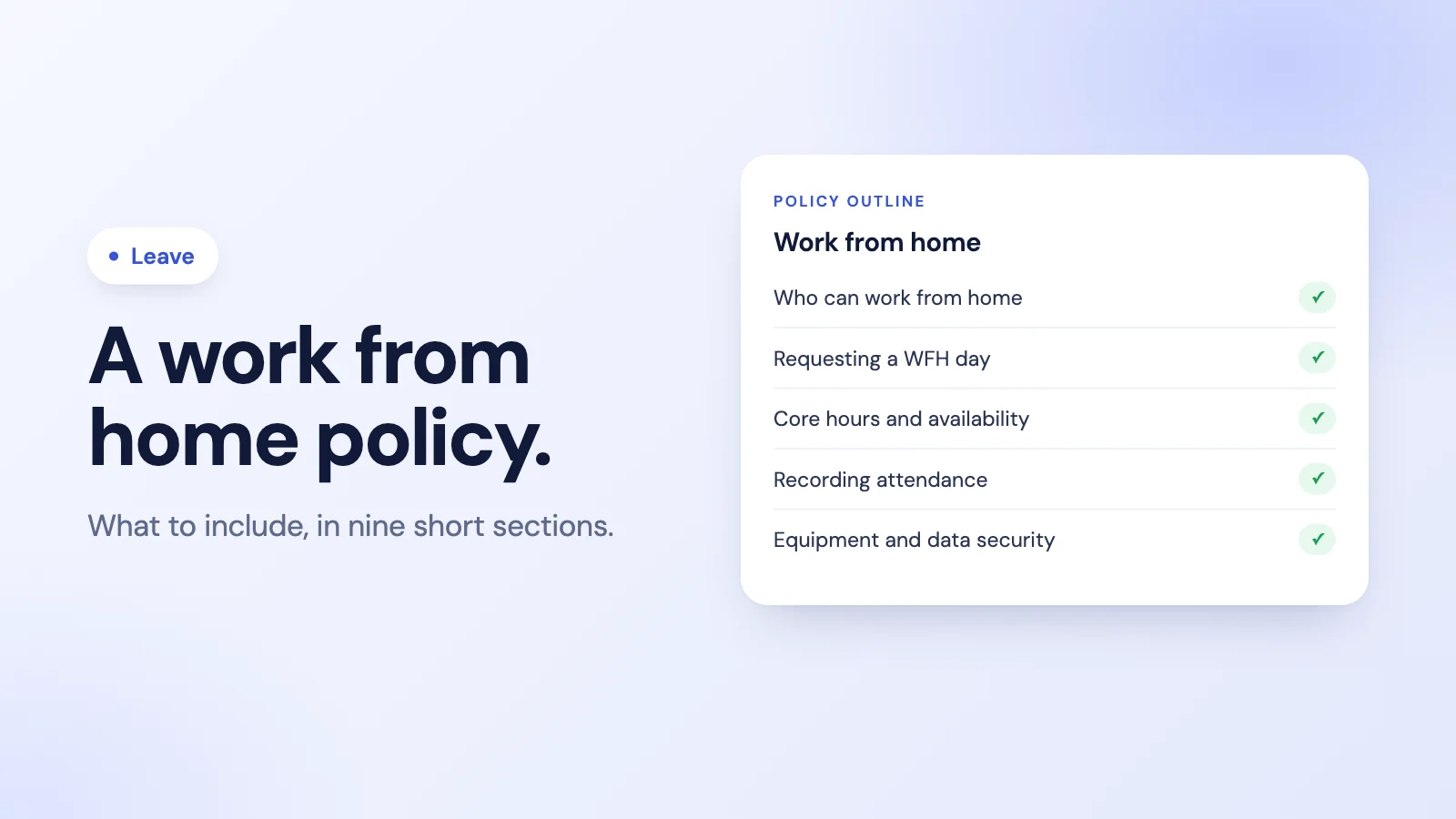
Working from home works best when everyone knows the rules before the first remote day, not after the first misunderstanding. A short, clear work from home policy answers the questions people would otherwise ask one at a time: Can I? How do I ask? When do I need to be online? How does anyone know I am working?
This guide lists what to include, with a simple outline you can adapt, whether your team is fully remote, hybrid or mostly office-based with the occasional WFH day.
Why have a written WFH policy
Without one, every manager makes their own rules. One approves WFH by message, another wants a week's notice, a third keeps no record at all. That inconsistency is what makes remote work feel unfair. A written policy gives:
- Consistency, so the same request gets the same answer.
- Visibility, so teams know who is where on any day.
- Clarity on hours, so remote work is judged by availability and output, not by being seen.
What to include in a work from home policy
1. Purpose and scope
One or two sentences on why the policy exists and who it covers. Say whether it is about occasional WFH days, a hybrid pattern, or fully remote roles.
2. Eligibility
Which roles can work from home, and on what basis. Some roles need to be on site; say so plainly. If eligibility depends on a probation period or performance, explain how.
3. How to request a WFH day
- How to ask: the channel or tool to use, so requests do not get lost in messages.
- Notice: how far in advance, for example by the end of the previous working day.
- Who approves: usually the direct manager or team lead.
- Recurring patterns: whether a fixed hybrid pattern is agreed once or requested each time.
4. Core hours and availability
The most important section for day-to-day harmony. Set the hours when everyone must be reachable, how quickly people should respond, and how to show availability. For distributed teams, say whose time zone core hours are in. Our guide to timezone-aware attendance covers how to handle teams across time zones.
5. Recording attendance and hours
Remote days are working days, so record them the same way: start and finish times, breaks and any overtime. Record the day as WFH rather than leave, so it does not use up anyone's allowance. Our guide on how to track attendance for a remote team explains how to keep this light.
6. Equipment and workspace
What the company provides, what the employee provides, and who maintains it. Include basic expectations for a safe, suitable place to work.
7. Data security
How to handle company data at home: approved devices, secure connections, screen locks, and what to do if a device is lost. Keep it short and specific.
8. Expenses
What, if anything, the company contributes towards costs such as internet or equipment, and how to claim it. Some countries have specific rules or tax treatment for home-working costs, so check locally.
9. Review and ending the arrangement
How often the arrangement is reviewed, and how either side can change or end it, with notice.
A simple outline you can adapt
Work From Home Policy
- Purpose and scope
- Who can work from home
- Requesting a WFH day: how, notice, approver
- Core hours: [10:00 to 16:00, your time zone]; response times
- Recording attendance: clock in and out as usual; mark the day as WFH
- Equipment provided and expected
- Data security rules
- Expenses and how to claim
- Review and changes
For a checklist version of the attendance side, see our remote team attendance checklist.
Common mistakes
- Treating WFH as leave. It is a working day in a different place.
- No visibility. If nobody can see who is remote today, meetings and cover suffer. A short daily summary of who is on leave and who is working from home solves this; our guide to automating the daily leave and WFH report shows how.
- Different rules per manager. Write the policy once, and apply it to everyone.
- Measuring presence instead of work. Core hours and clear deliverables matter more than green status dots.
How Tickin handles work-from-home days
In Tickin, Work From Home is a request type alongside leave, available on every plan, and an admin can switch it off if your team does not use it.
- Requested and approved like leave. Employees request a WFH day from Slack, the web, or Microsoft Teams on the Scale plan. An admin approves it; on the Growth plan and above a team lead approves first, then the admin. By default, permanent employees can request WFH.
- Its own allowance. WFH days have an allowance of their own that the admin sets, separate from annual leave, and reports show WFH and leave as separate figures.
- Visible to the team. The daily Leave and WFH report posts to a Slack or Teams channel on working days, at a time the admin chooses, listing who is on leave and who is working from home.
- Attendance as usual. People clock in and out the same way at home as in the office, and grace-period late alerts still apply on WFH days if you use them.
See leave management in Tickin, or how remote teams use it in attendance tracking for remote teams. For the wider leave policy, our guide to leave management for small teams covers the rest.
Frequently asked questions
What should a work from home policy include?
Who is eligible, how to request work-from-home days and who approves them, core hours and how people stay reachable, how attendance is recorded, equipment and security rules, expenses, and how the arrangement is reviewed or ended.
Do employees need to request each work-from-home day?
That depends on your arrangement. Teams with fixed hybrid patterns often agree the pattern once; teams with flexible WFH usually ask people to request each day in advance so managers can plan cover and everyone can see who is where.
How do you track attendance for employees working from home?
The same way as in the office: people record when they start and finish work, and WFH days are recorded as WFH rather than as leave. What matters is that the record shows hours worked and availability, not where the laptop is.
Is working from home counted as leave?
No. A WFH day is a working day in a different place. It should not use up leave allowance, but it is useful to record it separately so teams know who is in the office and who is remote.
How does Tickin handle work-from-home days?
In Tickin, Work From Home is a request type that goes through the same approval flow as leave, on every plan, and an admin can switch it off. Approved WFH days are counted separately from leave, appear in the daily Leave and WFH report in Slack or Teams, and people clock in as usual.
The takeaway
A good work from home policy is short and specific: who can, how to ask, when to be reachable, how to record the day, and how to keep equipment and data safe. Record WFH days as working days, make them visible to the team, and judge remote work by availability and results.